Get Started
v0.0.1
Mishka Blog is the blogging extension for Mishka CMS. It adds posts, categories, tags, author profiles, teams and comments to a site, pages and page blocks that show them, and a JSON:API that reads and writes the same data. Each site in a Mishka CMS installation has its own blog, because everything the extension stores belongs to one site.
What the blog gives you
- Posts with a rich-text editor, a subtitle, an excerpt, a cover image, a Featured flag and a version history.
- Collections, which readers see as categories and which can be nested, and tags.
- Bloggers, the author profiles that posts credit, and teams that group them.
- Comments from signed-in readers, held until a moderator approves them.
- Posts, collections and tags in more than one language.
- A search and sharing head, structured data and a share image for every kind of record.
- A Permissions field on posts, collections and tags that keeps a record to the readers who hold a permission.
- A dashboard with an editorial calendar, and an analytics page.
- Seventeen components, which are eleven blocks and six pieces, and nine sample pages that you can use as they are or rebuild in the visual editor.
- A JSON:API for posts, collections, tags, bloggers, teams, comments and auto posting, with reader routes for ratings, bookmarks, follows and comment votes.
Before you begin
- Run a Mishka CMS project that includes the Mishka Blog package, and sign in to its admin. A standard project already includes it.
- To write and manage content, use an account that holds
admin:dashboard:blog:post. To moderate comments, it needsadmin:dashboard:blog:comment. A wildcard such asadmin:dashboard:blog:*covers both. See Blog permissions. - To set the blog up on a site, the account also needs the runtime permissions listed in Set up the blog on a site.
If your project does not include the package, add it from Hex to deps in mix.exs:
elixir
def deps do
  [
    {:mishka_blog, "~> 0.0.1"}
  ]
end
Run mix deps.get, then list the package's Ash domain and its web module in the project's config, as Install an extension shows.
Publish your first post
- Set up the blog on your site.
- Add a collection, a tag and a blogger.
- Write and publish a post.
- Open the blog's sample home page at
/:lang/blog, with your site's language in place of:lang.
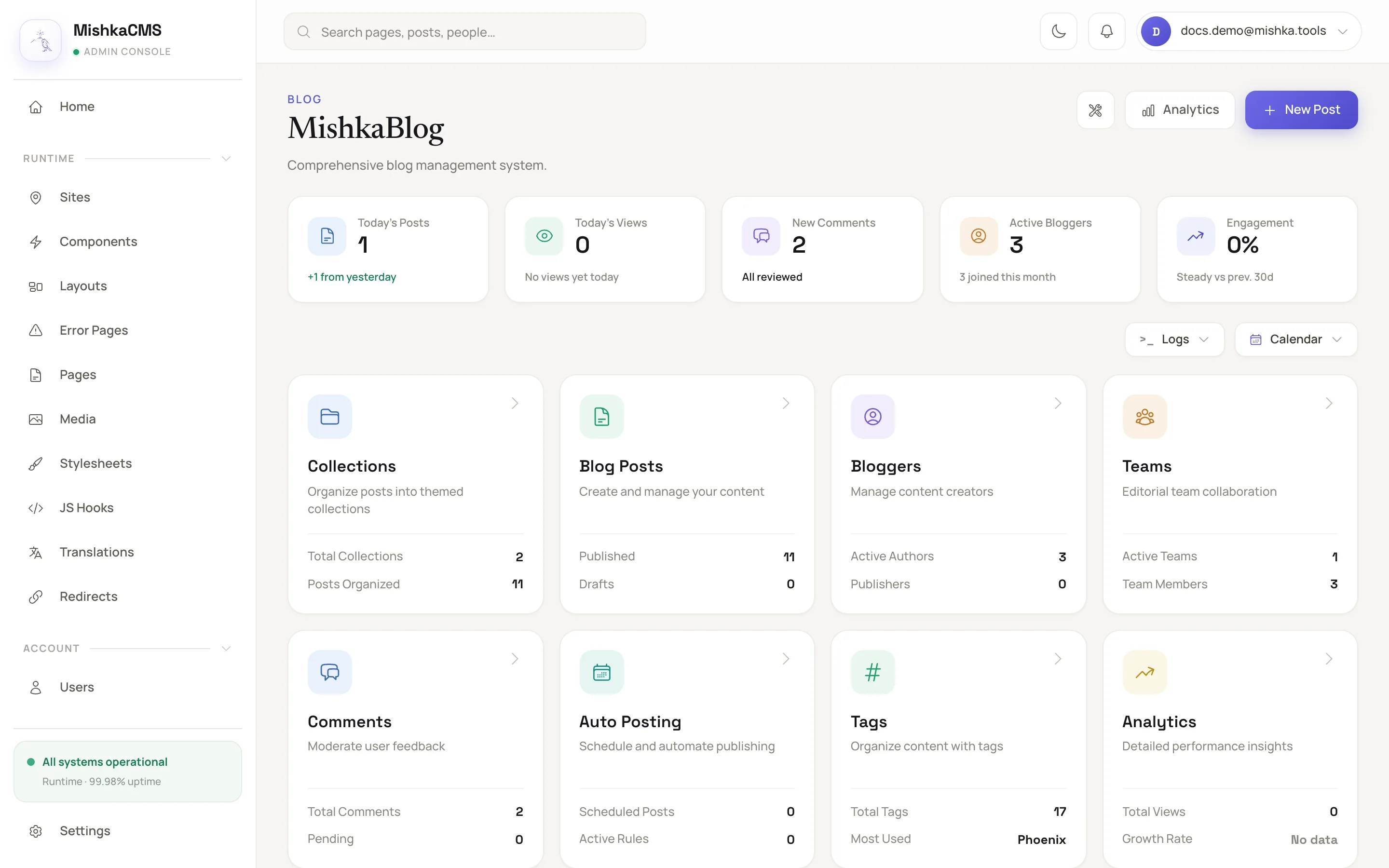
The blog dashboard is the starting point for every blog screen.
For the whole path on the CMS side, including pages and layout, follow Start a blog.
Find what you need
How-to guides
- Set up the blog on a site
- Write and publish a post
- Add categories, tags, bloggers and teams
- Moderate comments
- Publish a post in more than one language
- Set a post's SEO and share image
- Show the blog on your own pages
Reference
- Blog permissions
- Blog admin screens
- Blog record fields
- Blog components and sample pages
- Blog JSON:API
- Blog plugin events