Set a post's SEO and share image
v0.0.1
The blog writes a search and sharing head for every post, collection, tag, blogger and team without any setup. This guide shows what it fills in and how to replace a part of it for one post: a title, a meta tag, structured data, or the share image that appears when someone shares a link to the post.
Before you begin
- Create the post. A post is read for its head only while it is published.
- Sign in with an account that holds
admin:dashboard:blog:post. - Use a page that shows each post, as the sample page at
/:lang/blog/:slugdoes. See Show the blog on your own pages.
What the blog fills in
For a published post, the blog sets the title, the description from the excerpt and the image from the featured image. It adds these tags:
authorwith the authors' names, andtwitter:creatorwith the X account of the first author who has one.article:published_time,article:modified_time,article:sectionwith the first category, and onearticle:tagfor each tag.- The label and value pairs that Slack and Discord show under a link: Written by with the authors and Reading time.
- When the post exists in two or more editions, an alternate link for each edition a visitor can open, in the languages the site publishes in, and
x-defaultat the edition in the site's primary language when the post has one. og:localewith the post's language, such asen_USforen, and anog:locale:alternatefor each of the other editions.
It also writes structured data, a BlogPosting with its authors and publisher and a BreadcrumbList from Home to Blog to the post. A collection gets a CollectionPage, a tag a CollectionPage, and a blogger or team a ProfilePage. A public tag's page says noindex, follow in its robots tag, unless the tag's own SEO tags replace it.
Three types carry inLanguage: BlogPosting, CollectionPage and ProfilePage. A post, a collection and a tag give their own language. A blogger and a team are one record in every language, so their ProfilePage gives the language of the page. The BreadcrumbList, and the Person and Organization inside the other objects, carry none.
Replace a tag or the structured data
- On the Blog Posts Management page, click Edit on the post.
- Scroll to SEO Tags and click + Add SEO Tag.
- Choose a Tag:
title,metaorlink. - Enter the Attributes as JSON, and the text in Content.
- Click Save Changes.
A tag you add replaces the generated tag with the same name. A title tag replaces the page title. For a title, enter {} as the attributes. To set the description, add a meta tag with the attributes below.
{"name": "description"}Put the description text in Content. A value can name a variable, so Content of {{post.title}} | My blog on a title tag gives every post its own title.
The Schema (JSON) field takes a list of structured data objects. When it holds any, they replace the generated BlogPosting, inLanguage included, so write it in your own objects. The breadcrumb is still added.
Check and redraw the share image
A share image is drawn in the background after a published post is saved. It shows the first category above the title, the authors' photos and names, their teams, the publish date and the reading time, over the featured image.
- Click Edit on a published post and find Share image.
- Check the picture. A post that is not public yet, or one whose SEO sets an image of its own, shows No share image with a short reason.
- Click Regenerate to draw it again over the old file.
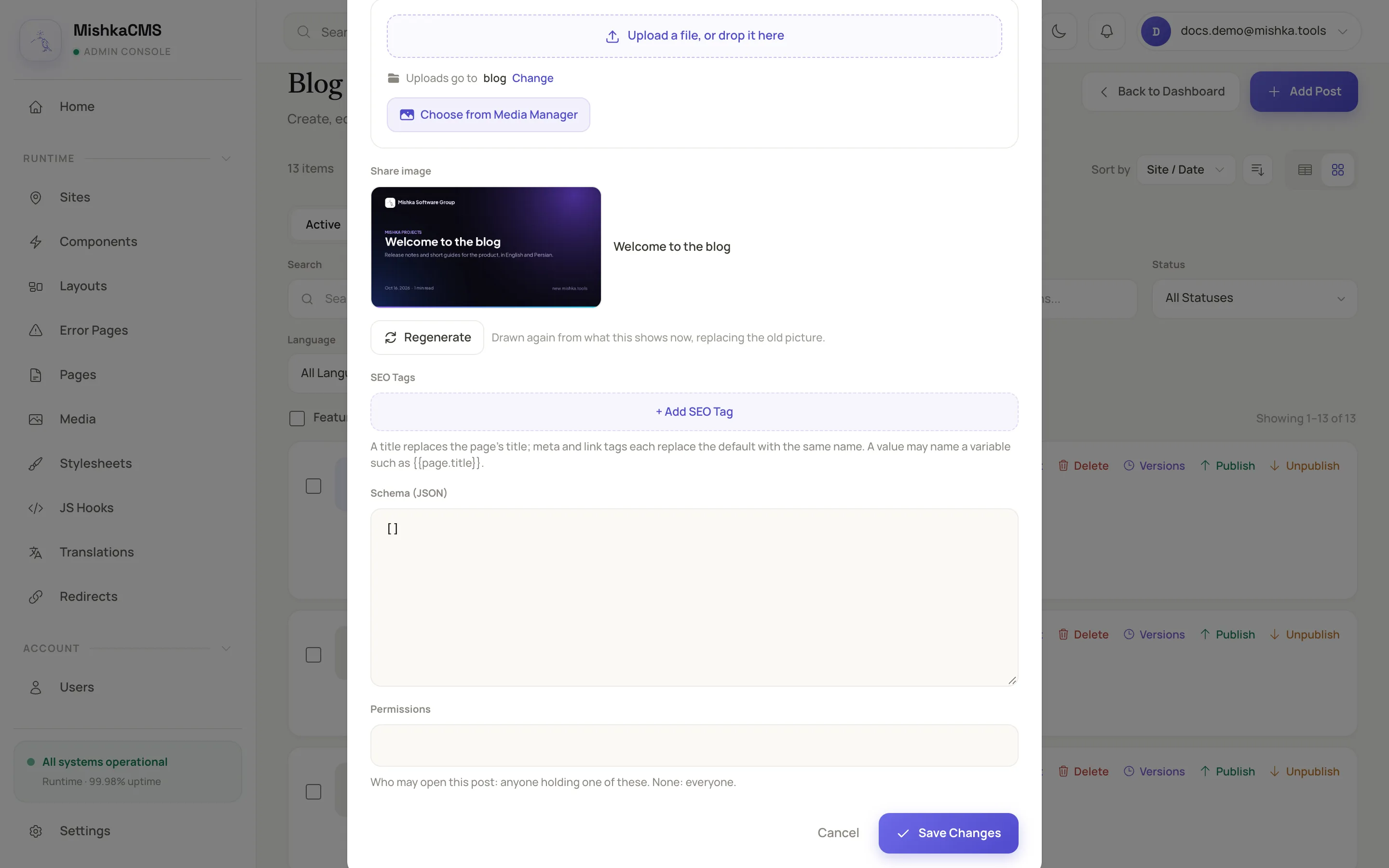
Regenerate draws the card again from what the post shows now.
To redraw the cards of the whole blog, open the blog's check-and-repair window and click Redraw. See Set up the blog on a site.
Variables you can use in a value
| Record | Variables |
|---|---|
| Post | post.title, post.excerpt, post.image, post.author, post.published_at, post.modified_at, post.url, post.collection, post.tags, post.rating, post.rating_count |
| Collection | collection.name, collection.description, collection.url |
| Tag | tag.name, tag.description, tag.url |
| Blogger | author.name, author.bio, author.image, author.url |
| Team | team.name, team.description, team.url |
Write a variable in double braces. post.rating is the readers' average to one decimal. It and post.rating_count are empty until a reader has rated the post.
Other records and the sitemap
Collection and tag forms have the same SEO Tags field, and a collection also has Schema (JSON). Blogger and team forms have neither, so their head always comes from the profile itself. All four forms have a Share image field on the edit form. Its card says Category, Tag, Author or Team above the name.
The site's sitemap lists each published post with its last change and cover image, each active collection, each blogger who is not archived and each active team, whether or not they have posts yet. Each post, collection or tag is listed in its own language at its own slug, and each blogger or team once for every language its page answers in. A tag is listed only when its own SEO tags hold a robots tag that says index, because a tag's page says noindex, follow otherwise. A record that is locked by a permission, its own or its collection's, or whose own SEO tags say noindex or none, is left out. A kind is listed only while a page that shows it is switched on, open to visitors and open to search engines.