Choose how post addresses move
v0.0.3
Every WordPress post has an address, such as /2025/12/hello/, that readers and search engines already know. This guide chooses whether your site serves the posts at those addresses or under /blog, and how the old addresses are redirected. You finish with the Post addresses choice set before the dry run.
What it moves and how it works, on one page: Mishka CMS Migration.
Before you begin
- Mishka Blog installed on the site. Without it, posts and redirects wait.
- The New import window open on step 4, Review. The choice is in Advanced options. See Move a WordPress site.
- An account with
admin:dashboard:runtime:redirectif you want redirects. See Redirect an old address.
Choose the value
Open Advanced options and pick one of the values of Post addresses:
| Value | Posts are served at | Old address |
|---|---|---|
| Keep the WordPress addresses (the dry run says which) (default) | The address WordPress gave them. The Blog's post page takes the structure the source's posts share, and its category, tag and author pages take the source's bases. | Redirected with a 301 only when the site does not serve it at the same path. |
| /blog/<slug> with 301s | /blog/<slug> | Redirected with a 301 to the new address. |
| /blog/<slug>, no redirects | /blog/<slug> | Not redirected. |
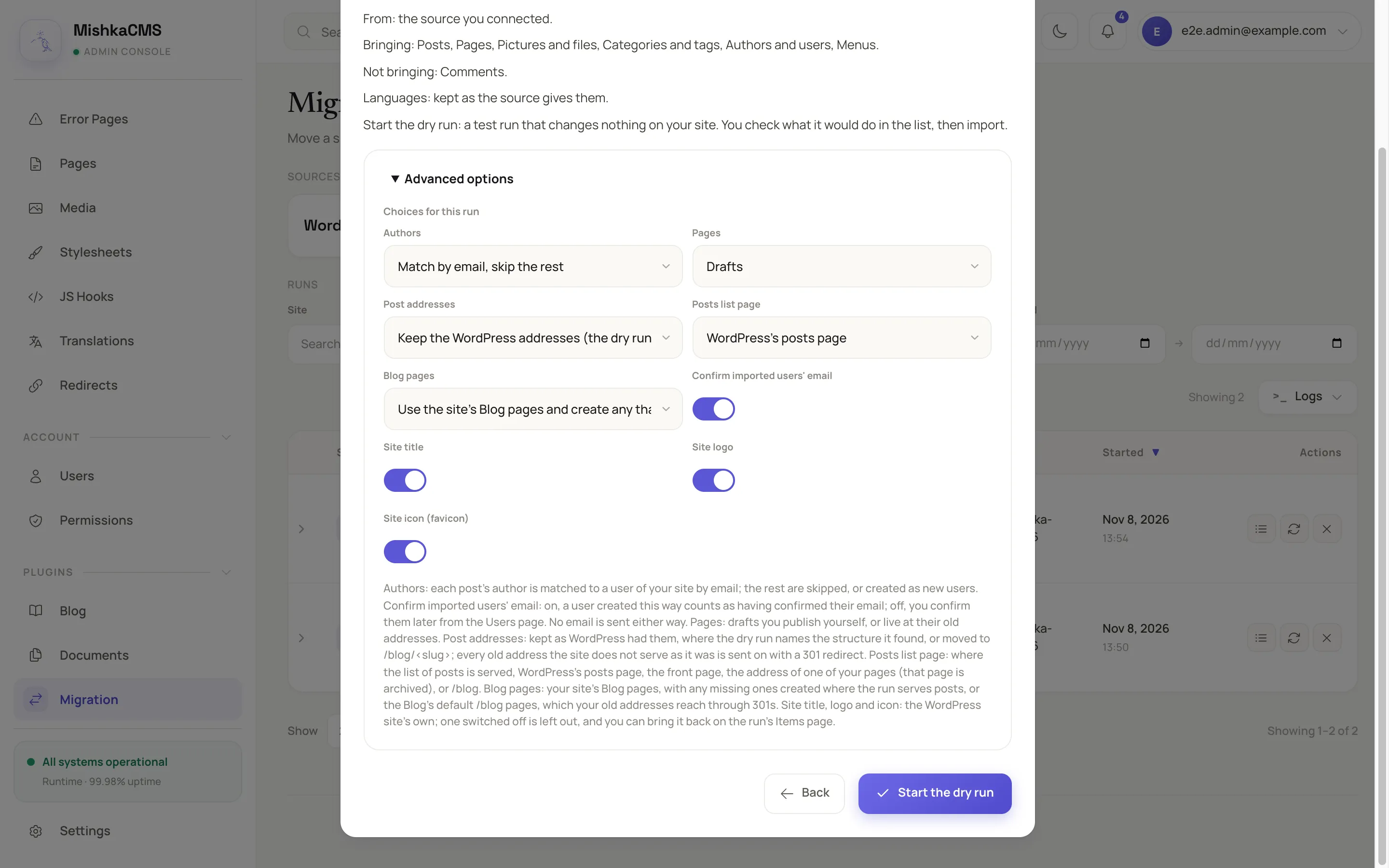
The Advanced options of the Review step hold the Post addresses, Posts list page and Blog pages choices.
See what the dry run found
With Keep the WordPress addresses, the dry run works out the structure from every published post's address, every category's and the first 100 tags'. Open the run's details. About the source shows:
- Post addresses found: the structure, such as
/%year%/%monthnum%/%postname%/, or No shape the posts share. With no shape, the Blog keeps its own addresses. - Posts outside that shape: how many posts do not follow it, such as 3 posts, each redirected to its new address.
A category is served at its chain of parents, as WordPress writes it, such as /category/travel/berlin. The Blog pages that move to make this possible are in Set where the Blog's pages and posts list go.
Know what the redirects do
Every address a WordPress visitor knows becomes a redirect item, written only to an address the site serves: the old addresses of posts, categories, tags, pages and files, old slugs, feeds, sitemaps, list pages, day archives, the pages of a paged list and author archives. The dry run lists each as an item of the kind Redirects, so you see them before they exist. A post the site already serves at its WordPress address needs no rule and is skipped as Already at its old address. The other skip reasons are in Statuses, results and messages.
The CMS keeps one rule for each address. If the site already redirects an old address, the item fails with the CMS's reason, and your rule stays as it is. A re-run keeps a rule you edited or deleted in the CMS. Choosing no redirects later leaves the rules an earlier run wrote.
Handle a post whose address a page holds
If a page of yours is at the address a post would be served at, the post waits for your decision with A page of the site is at this post's address. Choose Import with another slug, so its address is free, which writes the slug followed by the source id, or Leave out. See Settle what needs your decision.
Check the result
- After the import, open the run's details. Redirects written says how many rules it wrote or kept up to date.
- Open Redirects in the admin sidebar and find an old address.
- Open a post at its WordPress address on the site. It answers there.
Next steps
- Set where the Blog's pages and posts list go.
- Run options: the other choices.
- Redirect an old address: manage the rules in the CMS.