Read a dry run
v0.0.3
A dry run reads the whole source and reports what an import would create, update and skip, without writing anything to your site. This guide shows where that report is and what each part of it says, so you can decide whether to import. You finish knowing which items need you before the import.
What it moves and how it works, on one page: Mishka CMS Migration.
Before you begin
- A run whose status is Dry run ready. See Move a WordPress site.
- An account with
admin:dashboard:migration.
Read the Runs table
Open Migration. Each row is one run.
- Source is the source with its icon and the run's short id.
- From is the address or file host the content comes from, with the source site's name under it.
- Status is Connected, Dry run running, Dry run ready, Importing, Imported, Failed or Cancelled.
- Result counts what came of the items: created, updated, skipped, failed and need your decision, then how many items of each kind. After a dry run the numbers are what the import would do.
- Site shows for a master. Started is when the run began.
Filter the table by site, status, source and the days a run started in. Logs opens the run's log, one entry for each step.
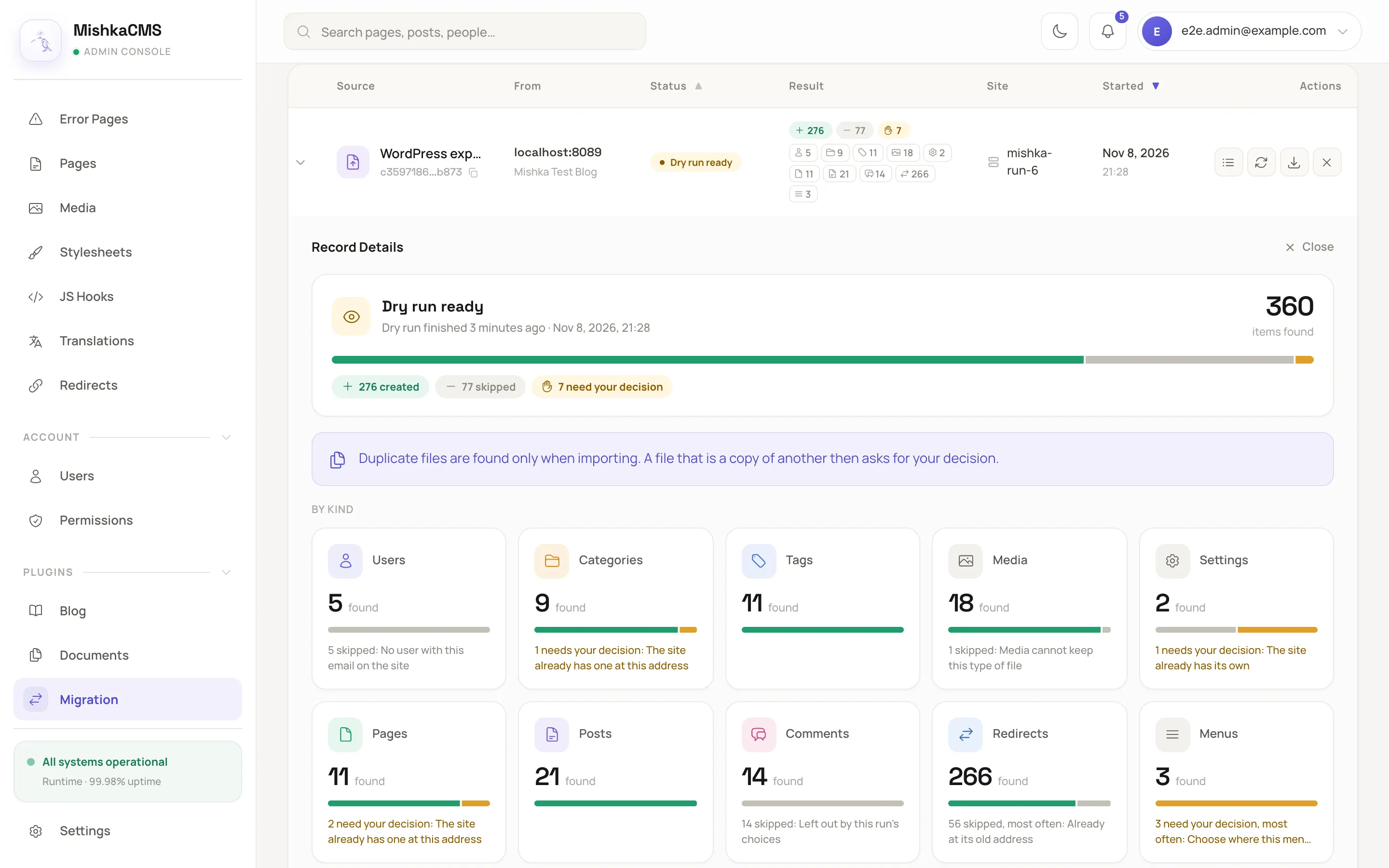
The Result column counts what came of the items, then how many there are of each kind.
Open a run's details
Press the arrow at the start of a row. The details show:
- The head: where the run is, when the report was made, how many items the source listed, a bar of what came of them and a pill for each outcome.
- A card for each kind of item: how many the source listed, a bar of their outcomes and how many wait for you, else failed, else were skipped, with the reason most of them give.
- Latest items, newest first, with links to the CMS record of each one, and a link to all of them on the Items page.
- About the source: the site's name, its address, its timezone and who signed in, the shape its post addresses share and how many posts are outside it, what the run will do with the Blog's pages, and, after an import, how many redirects it wrote.
- Choices for this run, in words. See Run options.
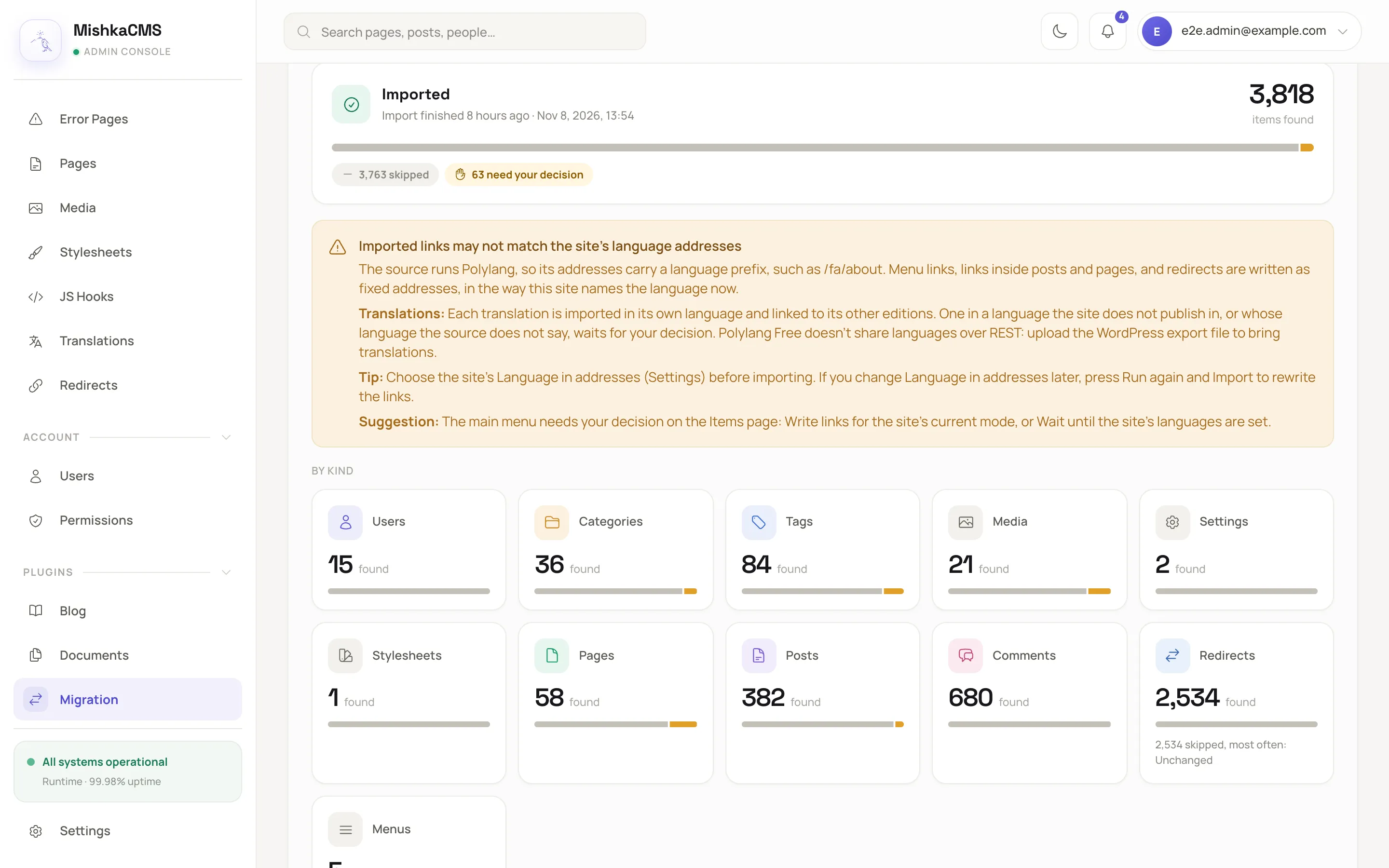
A run's details open under its row, here with the language warning above the cards.
The number of items that need your decision in the head and on the cards is the number the Decisions panel shows, so it falls to 0 once you decide everything.
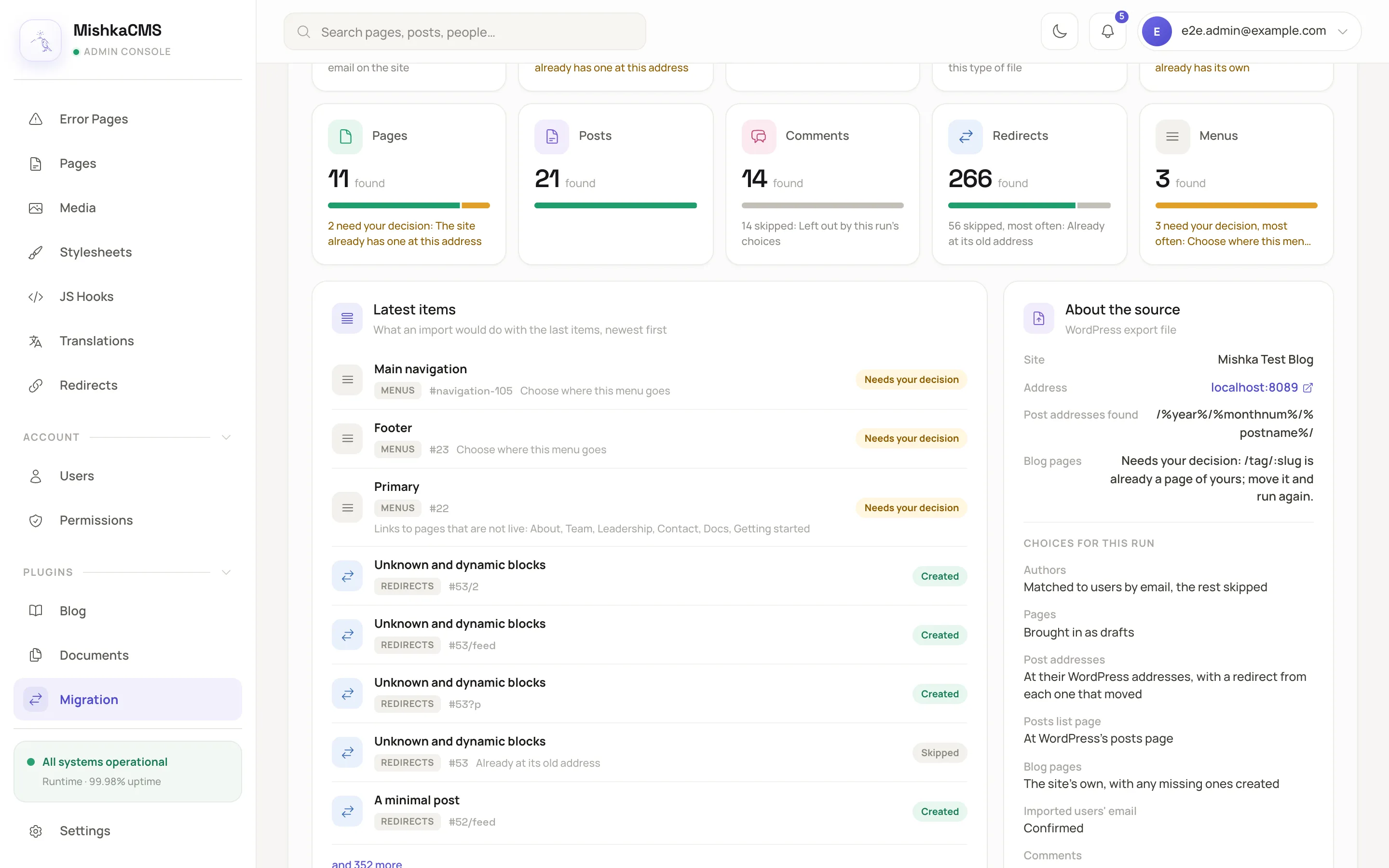
The cards count each kind, and About the source names the post addresses found and the plan for the Blog's pages.
Read the warnings
A warning appears under the head when something affects the whole run.
- Imported links may not match the site's language addresses shows when the source runs Polylang or WPML, or the site gives every language a prefix. It explains how translations are imported and suggests choosing the site's Language in addresses in Settings before you import.
- Users were created shows after an import that created users. Their WordPress passwords cannot be carried over, so they sign in with Forgot password or a social sign-in.
After a dry run that would bring files, a note says that duplicate files are found only by the import, which downloads them. An import can ask for one more decision than the dry run showed.
Decide what to do next
- No items under need your decision and no failures you care about: press Import.
- Items under need your decision: open the run's Items page and follow Settle what needs your decision.
- Something is wrong in the choices: press Cancel to end the run, and start a new one.
Next steps
- Statuses, results and messages: every outcome and reason.
- How a migration works: what Run again does.