Mishka Gervaz Forms: Validation, Nested Fields and File Uploads in Ash
A hands-on guide to Mishka Gervaz forms: put the rules in the Ash action, see errors under each field, edit a list of links as rows and take a cover image upload.

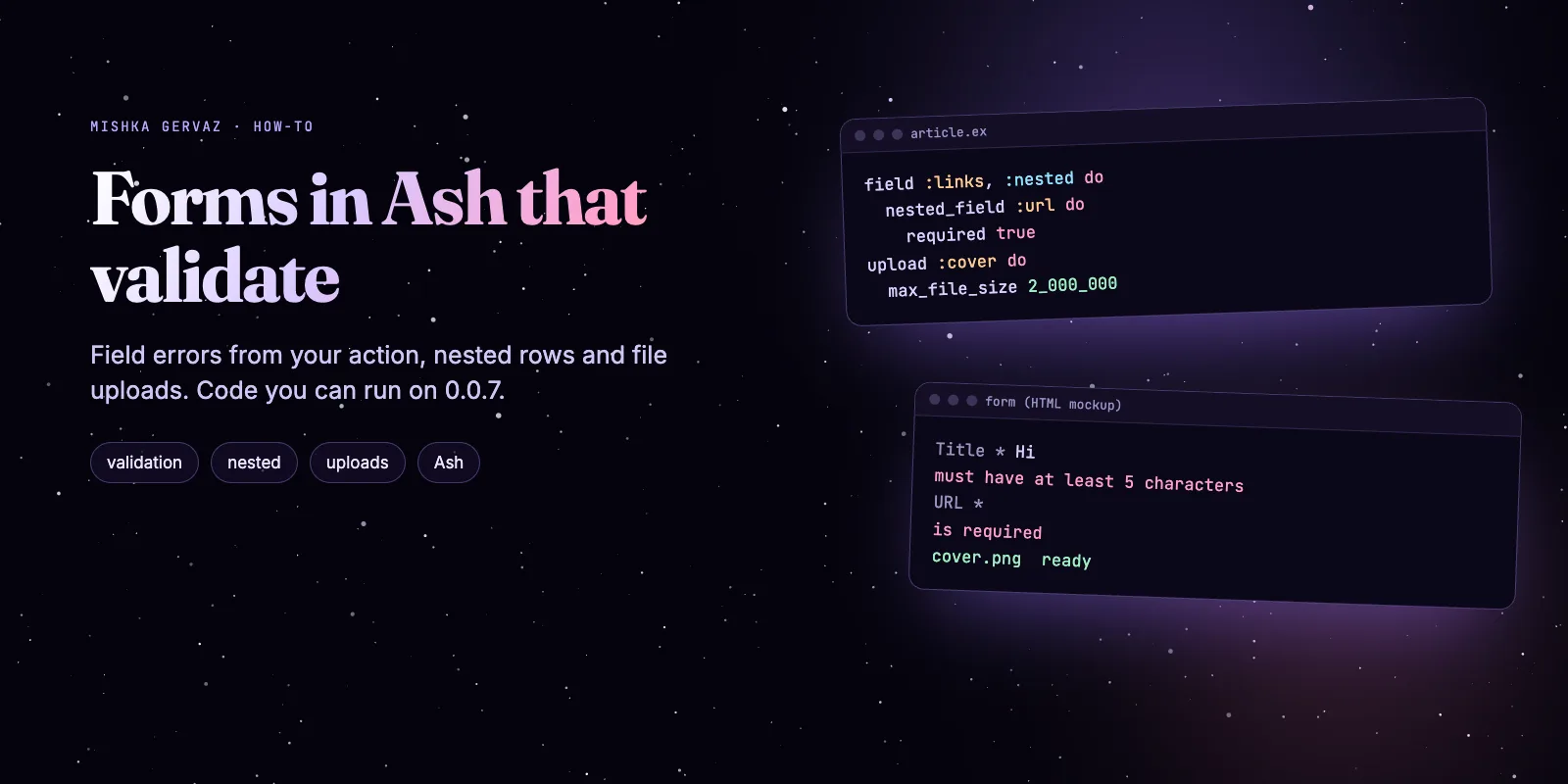
To build a validated form in Ash, put the rules in the action and describe the form in a mishka_gervaz block. Mishka Gervaz then draws the fields, shows each Ash error under its field, edits a list of maps as rows and takes a file upload. This guide builds one article form with code we ran on Mishka Gervaz 0.0.7.
Our Mishka Gervaz and Mishka CMS stay free. A founding seat pays for the time we spend on them and on the extensions, and it gives you lifetime access, priority support and every paid extension we release.
You need Elixir 1.20, a Phoenix LiveView app with Ash, and about twenty minutes. The messages and results below are what the released library printed in our test run.
By the end you have a form with a required title, a slug rule, a list of links you can add to and remove from, and a cover image upload, plus a test that proves all three.
Mishka CMS releases. Once a month.
New Mishka CMS releases, Elixir and Phoenix patterns, and case studies from the team. No spam, unsubscribe anytime.
The short answer
Gervaz does not invent a second set of rules. It runs your Ash action on every change and shows the action's own errors under the field. Rows and files are field types in the same block.
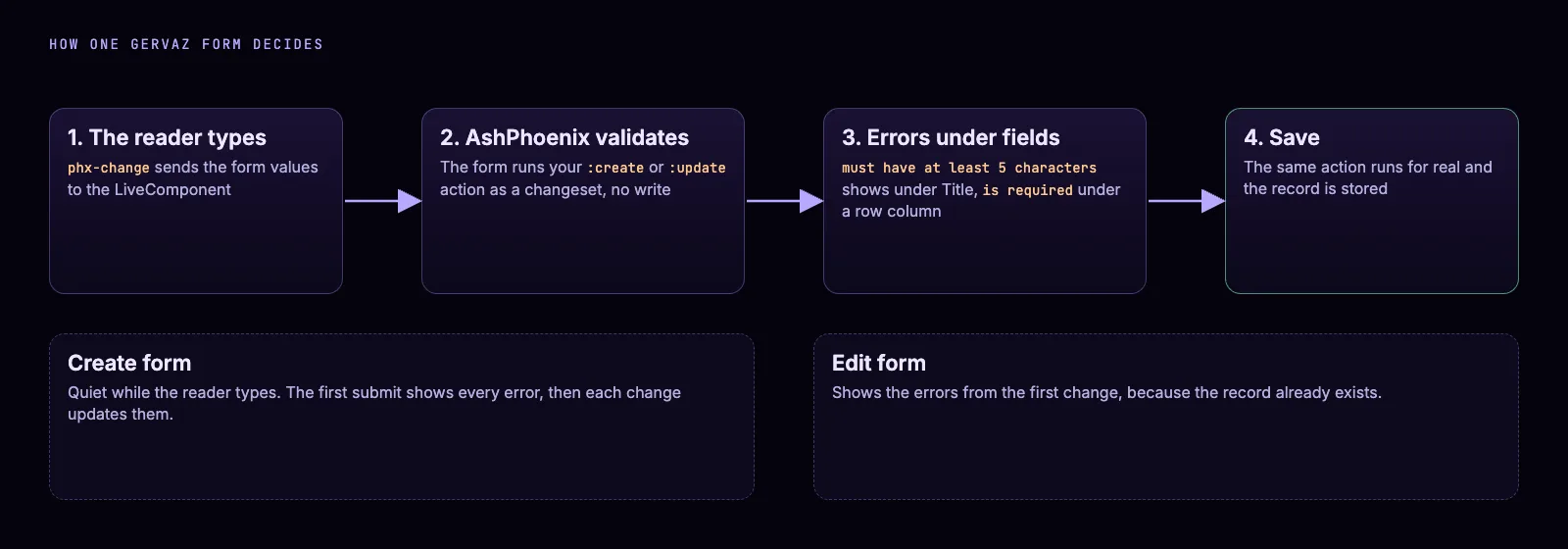
One action decides: the same validations run on each change and on the save.
Step 1: install the packages
Add Mishka Gervaz and its Ash and LiveView partners to mix.exs, then run mix deps.get. It needs Elixir 1.20 or newer.
def deps do
  [
    {:mishka_gervaz, "~> 0.0.7"},
    {:ash, "~> 3.37"},
    {:ash_phoenix, "~> 2.3"},
    {:phoenix_live_view, "~> 1.2"}
  ]
end
A new Ash project also needs config :ash, default_string_length_count: :codepoints in config/config.exs. Ash 3.37 raised an error without it in our run.
Step 2: put the rules in the Ash action
Write validations on the action, not in the form. Gervaz asks Ash for the errors, so the title rule below shows up in the form and guards every other caller of :create.
defmodule MyApp.Blog.Article do
  use Ash.Resource,
    domain: MyApp.Blog,
    extensions: [MishkaGervaz.Resource],
    data_layer: Ash.DataLayer.Ets

  actions do
    defaults [:read, :destroy]

    create :create do
      primary? true
      accept [:title, :slug, :status, :links]
      argument :cover, {:array, :map}, allow_nil?: true

      validate string_length(:title, min: 5),
        message: "must have at least 5 characters"

      validate match(:slug, ~r/^[a-z0-9-]+$/),
        where: present(:slug),
        message: "may use only lowercase letters, digits and dashes"
    end

    update :update do
      primary? true
      accept [:title, :slug, :status, :links]

      validate string_length(:title, min: 5),
        message: "must have at least 5 characters"
    end
  end

  attributes do
    uuid_primary_key :id
    attribute :title, :string, allow_nil?: false, public?: true
    attribute :slug, :string, public?: true
    attribute :status, :string, public?: true, default: "draft"
    attribute :cover_path, :string, public?: true

    attribute :links, {:array, :map} do
      default []
      public? true

      constraints items: [
                    fields: [
                      label: [type: :string, allow_nil?: false],
                      url: [type: :string, allow_nil?: false]
                    ]
                  ]
    end
  end
end
The :cover argument is where the uploaded file arrives. The links attribute is a list of maps whose constraints say each row needs a label and a URL.
Step 3: describe the form
Add the mishka_gervaz block to the same resource. Fields, groups, the upload and the submit labels live in one place. A form needs create, update and read actions, here named in source.
mishka_gervaz do
  form do
    identity do
      name :article_form
      route "/articles"
    end

    source do
      actions do
        create {:create, :create}
        update {:update, :update}
        read {:read, :read}
      end
    end

    fields do
      field :title, :text do
        required true
        ui do
          label "Title"
          placeholder "A clear title"
        end
      end

      field :slug, :text do
        ui do
          label "Slug"
          description "Lowercase letters, digits and dashes"
        end
      end

      field :status, :select do
        options [{"Draft", "draft"}, {"Published", "published"}]
      end

      field :links, :nested do
        ui do
          label "Links"
          add_label "+ Add link"
          remove_label "Remove"
        end

        nested_field :label do
          required true
          ui do
            label "Label"
          end
        end

        nested_field :url do
          required true
          ui do
            label "URL"
            placeholder "https://"
          end
        end
      end

      field :cover, :upload do
        ui do
          label "Cover image"
        end
      end
    end

    groups do
      group :basics do
        fields [:title, :slug, :status]
      end

      group :extras do
        fields [:links, :cover]
      end
    end

    uploads do
      upload :cover do
        field :cover
        accept "image/*"
        max_entries 1
        max_file_size 2_000_000
      end
    end

    submit do
      create label: "Save article"
      update label: "Save changes"
    end
  end
end
Every non-virtual field must be an attribute, relationship, calculation or aggregate of the resource, and a group may not name a missing field. A field of type :upload is virtual by itself.
Step 4: mount it on a page
Mount the form as a LiveComponent on any LiveView page. Pass record_id to edit a record. Without it the form creates one.
<.live_component
  module={MishkaGervaz.Form.Web.Live}
  id="article"
  resource={MyApp.Blog.Article}
  current_user={@current_user}
/>
Add the domain and the resource extension as the Build a form guide shows, and the form is live.
Step 5: see the validation
Type a short title and a slug with a space, then press the save button. Each message appears under its own field:
Title *  must have at least 5 characters
Slug     may use only lowercase letters, digits and dashes
Those are the exact messages of the two Ash validations. An empty required title says "is required". Fix the value and the message goes away on the next change.
When errors show
A create form stays quiet while the reader types. In our run a short title sent by a change event showed nothing, and the same title showed its error after the first submit. After that first submit the errors follow every change. An edit form shows them from the first change.
Step 6: edit a list of links as rows
A :nested field turns an array-of-maps attribute into rows. The reader presses "+ Add link", fills a label and a URL, and can remove any row. No change to your database shape.
In the form block above, each nested_field is one column of a row. Mark a column required true and the row reports it:
Links 1   Remove
  Label *   is required
  URL *     is required
Rows are numbered as form[links][0][label], form[links][1][url] and so on. When one row had a label and no URL, only the URL said "is required". In that run Ash's own constraint message "value must not be nil" also appeared under the list, so expect one line of Ash wording there.
A nested column takes a narrower type set: text, textarea, number, checkbox, date, datetime, select, hidden, toggle, range or json. The form fields DSL docs list every option.
Step 7: take a file upload
The uploads block registers a Phoenix LiveView upload and draws a dropzone. The field of the same name in fields keeps the position in the layout. The block above allows one image up to 2,000,000 bytes.
Gervaz scopes the upload name to the form, so several forms on one page do not collide. In the page it is the input named cover_article, the upload name plus the component id.
What the action receives
On save, Gervaz copies each chosen file to the system temp directory as gervaz_<n>_<client name> and gives the action a list of maps under the field's name. Each map has :path, :client_name, :client_type and :client_size. After the submit it deletes those temp files, so read or move the file inside the action.
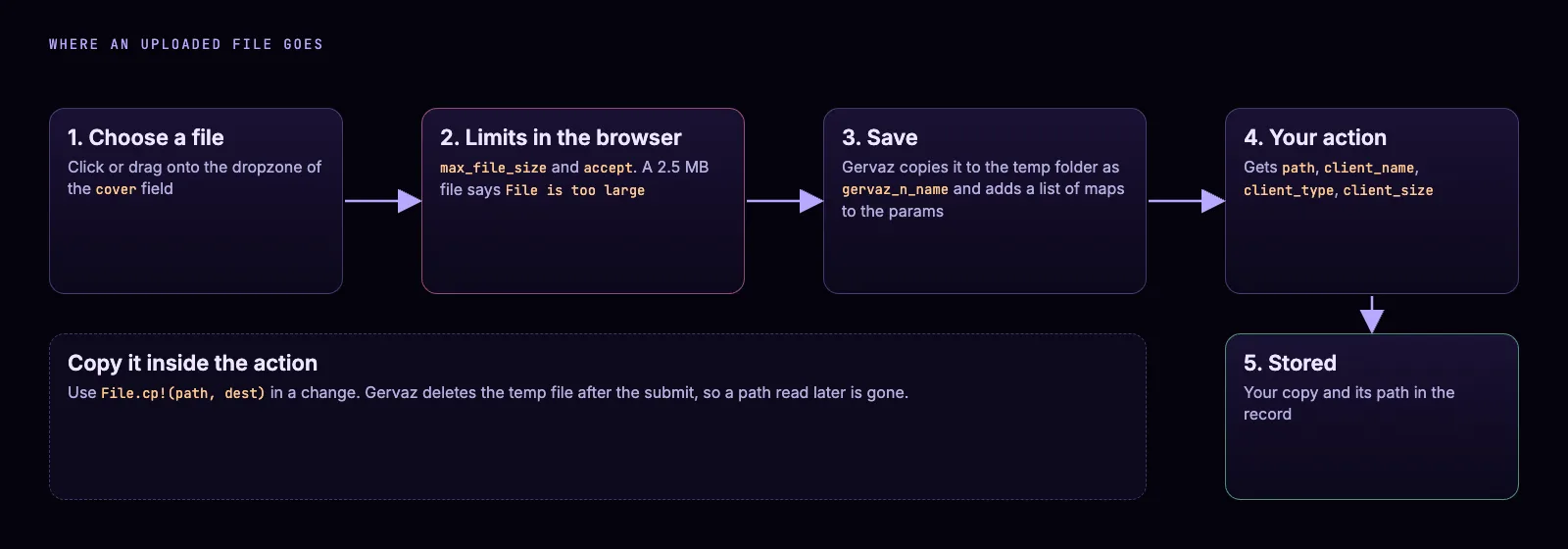
The temp copy lives only until the submit ends. Your action keeps its own copy.
Add a change to the :create action that copies the file where your app keeps files:
      change fn changeset, _context ->
        case Ash.Changeset.get_argument(changeset, :cover) do
          [%{path: path, client_name: name} | _] ->
            dest = Path.join("priv/static/covers", name)
            File.cp!(path, dest)
            Ash.Changeset.force_change_attribute(changeset, :cover_path, dest)

          _ ->
            changeset
        end
      end
In our run the saved record held the new path and the file read back as the bytes we uploaded. A 2.5 MB file was refused in the dropzone with "File is too large" before any save.
The form in five moments. An illustration drawn in HTML from the messages above, not a screenshot.
Step 8: prove it with a test
Phoenix.LiveViewTest can drive the whole form: submit, add a row, upload a file and read the record. This is the test we ran, and it passed on 0.0.7.
test "the form validates, takes rows and a file" do
  {:ok, view, _html} = live(build_conn(), "/new")

  view |> form("#article-form", %{"form" => %{"title" => "Hi"}}) |> render_submit()
  # the page now says: Title * must have at least 5 characters

  view |> element(~s|button[phx-click="add_nested"][phx-value-field="links"]|) |> render_click()

  up = file_input(view, "#article-form", :cover_article,
         [%{name: "cover.png", content: "PNGDATA", type: "image/png"}])
  render_upload(up, "cover.png")

  view
  |> form("#article-form", %{"form" => %{
       "title" => "Forms in Ash",
       "slug" => "forms-in-ash",
       "links" => %{"0" => %{"label" => "Docs", "url" => "https://mishka.tools/gervaz/docs"}}
     }})
  |> render_submit()

  assert [%{title: "Forms in Ash", cover_path: path}] = Ash.read!(MyApp.Blog.Article)
  assert File.read!(path) == "PNGDATA"
end
The test needs a PubSub in the endpoint config, or the upload client raises "no :pubsub_server configured".
Four mistakes to avoid
- Do not put the rule in the form. A rule in the action runs for the form and for every other caller.
- Do not expect errors while the reader first types in a create form. They arrive with the first submit.
- Do not read the temp file after the action returns. Gervaz deletes it after the submit.
- Do not rely on
show_previewordropzone_text. The library's own usage rules say the built-in template compiles them and does not read them, so set the label withuiinstead.
Next steps
Start with the Mishka Gervaz page and keep the Mishka Gervaz docs open. Read form steps for a wizard, form and table hooks for code before and after a save, and troubleshooting when a build fails.
To see the whole admin around this form, read Mishka Gervaz: Build an Ash Admin with Tables and Forms. Its tables, filters and forms come from the same DSL.
Mishka Gervaz is free, and a small team builds it. If you want to help us work on it full time, a founding seat gives you lifetime access, priority support and every paid extension we release.
You can also sponsor our open source work, or hire our team for an Elixir project.
Mishka CMS releases. Once a month.
New Mishka CMS releases, Elixir and Phoenix patterns, and case studies from the team. No spam, unsubscribe anytime.
Questions people ask about Mishka Gervaz forms
Thank you
Mishka Gervaz stands on Elixir, Ash Framework, AshPhoenix and Phoenix LiveView. Thank you to everyone who builds them, and to you for reading this far.
Shahryar Tavakkoli writes about Elixir and Phoenix LiveView: Mishka Chelekom releases, GuardedStruct validation, static sites, service workers and SEO.