Mishka Chelekom v0.0.10 Galaxy: Phoenix, Headless and Mobile UI
57 new headless components for 92 in all, 100+ native iOS and Android components for Mob, a class attribute for every part, and UI kits that drop into Mishka CMS.

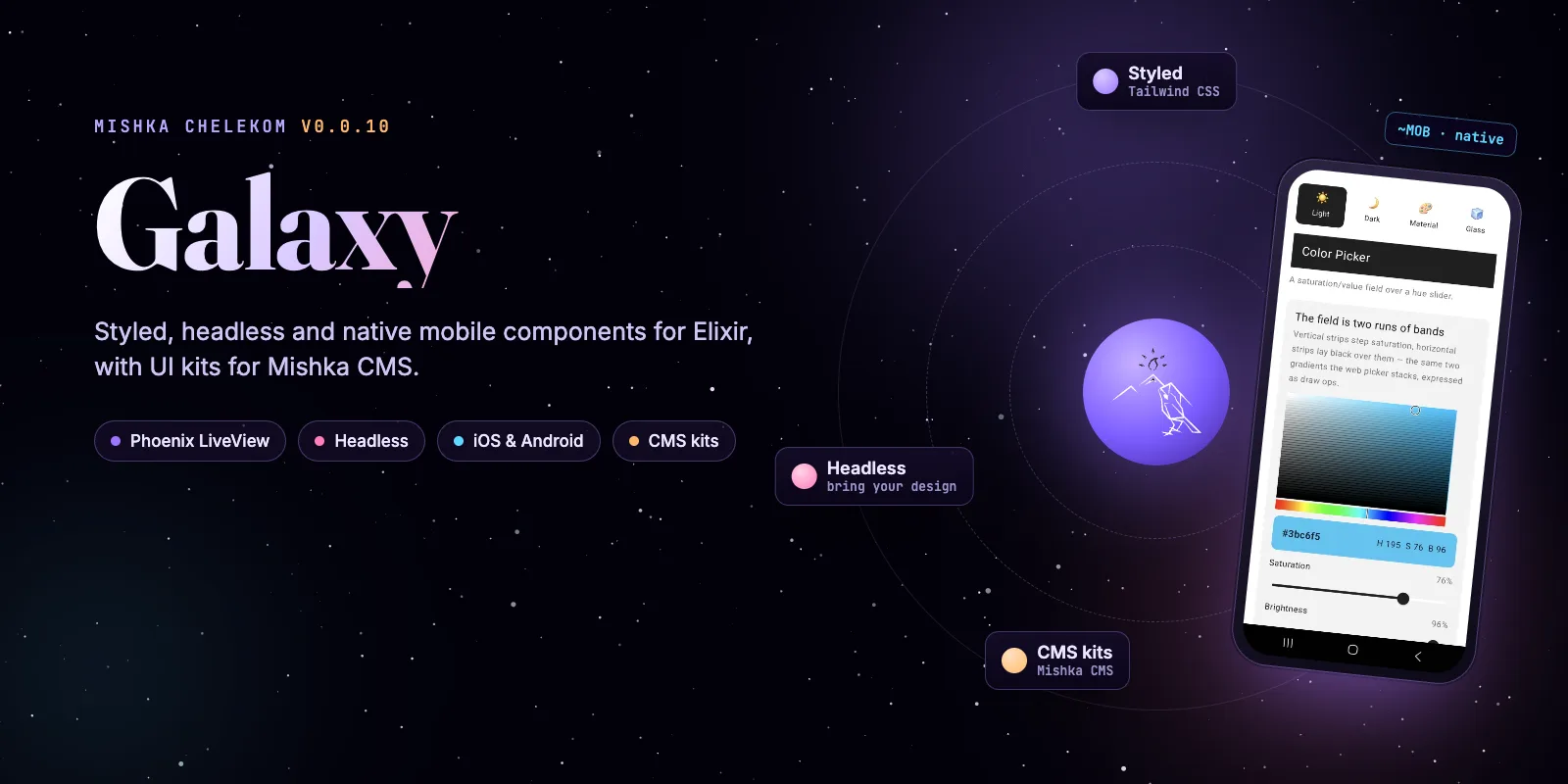
Mishka Chelekom v0.0.10 is out, and we named it Galaxy. With this release Chelekom covers the whole Elixir front end: styled Phoenix LiveView components, headless components you paint with your own classes, and native iOS and Android components for Mob. Every styled and headless component also ships as a UI kit that Mishka CMS installs and draws at runtime.
To mark the release we redesigned the Mishka Chelekom landing page as a galaxy: one sky, with the styled, headless and mobile lines as its worlds. v0.0.10 reached Hex on October 25, 2026, two years to the day after 0.0.1.
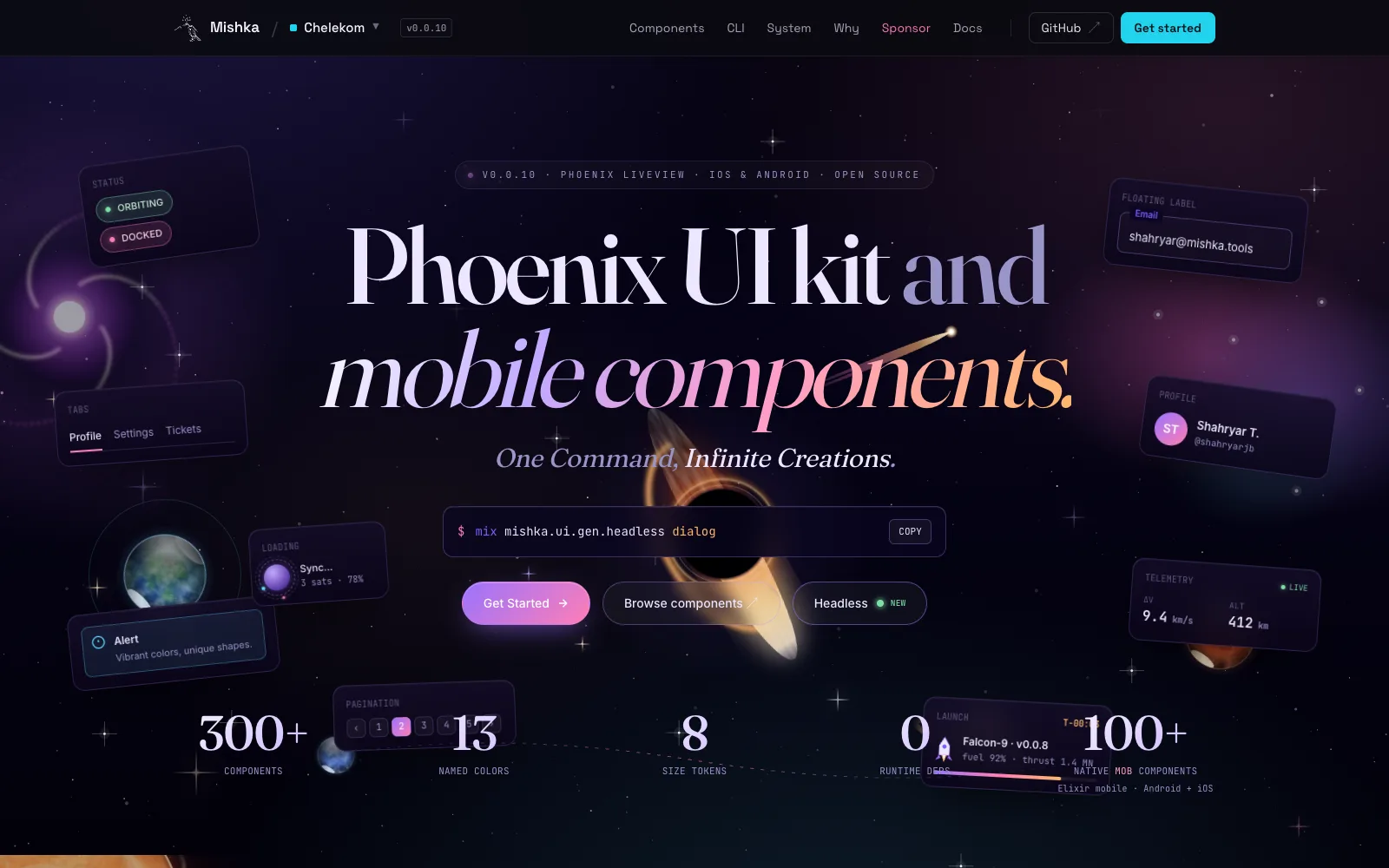
The new Mishka Chelekom landing page, redesigned for the Galaxy release.
Here is how the four parts fit together. Each line has its own generator, and all of them come from the same component designs:
mix mishka.ui.gen.componentmix mishka.ui.gen.headlessmix mishka.ui.gen.mobBelow, each change gets its own section with code you can copy. The complete list is in the v0.0.10 changelog and on the GitHub release page.
Get started with Mishka Chelekom v0.0.10
Add the new version to your mix.exs. Mishka Chelekom is a dev-only dependency with no runtime: the generators write plain source into your project, so nothing from Mishka runs in production.
{:mishka_chelekom, "~> 0.0.10", only: :dev, runtime: false}Run mix deps.get, then regenerate the components you want updated. Your app does not change until you do, and Igniter shows every change as a diff before it writes. A new Phoenix project can start with Chelekom in one command:
mix igniter.new my_app --with phx.new --install mishka_chelekomv0.0.10 needs Elixir 1.18 or newer and Tailwind CSS v4. The full guide is in the Mishka Chelekom documentation, and every task and flag is on the CLI page.
Native iOS and Android components with Mob
Chelekom's components now run on the phone. v0.0.10 brings 100+ native components to Mob, the framework that runs Elixir on iOS and Android, as widgets that Jetpack Compose and SwiftUI draw.
There is no HTML, CSS, JavaScript or WebView in them, and nothing to install from npm. Your screen keeps the state in Elixir, the components render a tree of native nodes, and taps arrive in your screen's handle_info/2. The work landed in #495.
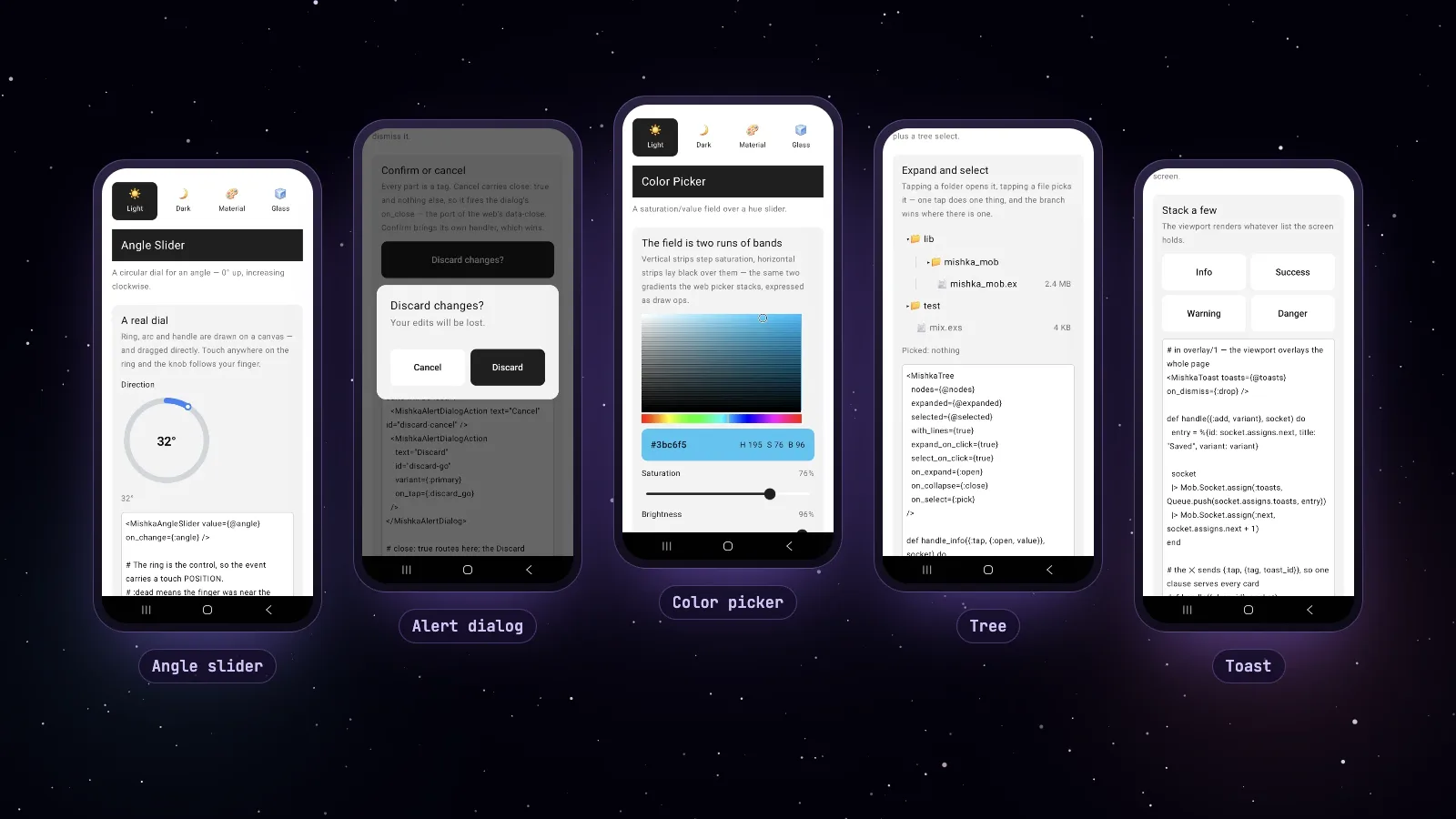
Angle slider, alert dialog, color picker, tree and toast, running natively on Android.
Three tasks generate them. Each component lands in lib/<app>/components/ and registers its tag, so you can write it in your screen's ~MOB markup right away:
mix mishka.ui.gen.mob chip
mix mishka.ui.gen.mob color_picker --module-prefix mishka_   # the tag becomes <MishkaColorPicker>
mix mishka.ui.gen.mob.components                             # all of them
mix mishka.ui.gen.mob.components chip,tabs,drawer
mix mishka.ui.uninstall drawer --mob
A screen uses them like any other Mob tag. Here two chips toggle a list of tags:
~MOB"""
<Row fill_width={true}>
  <Chip label="Elixir" checked={:elixir in @tags} on_toggle={{:tag, :elixir}} />
  <Spacer size={8} />
  <Chip label="Erlang" checked={:erlang in @tags} on_toggle={{:tag, :erlang}} />
</Row>
"""

def handle_info({:tap, {:tag, id}}, socket) do
  tags = socket.assigns.tags
  next = if id in tags, do: List.delete(tags, id), else: [id | tags]
  {:noreply, Mob.Socket.assign(socket, :tags, next)}
end
The generator declares your new tags in your own config, in config :mob, :extra_tags. It adds only the missing ones and keeps the rest of the list, and uninstall removes just the tags it took away. Earlier alphas wrote into deps/mob/priv/tags, which mix deps.get threw away (#533).
config :mob, extra_tags: ["Chip", "Tabs"]Android is our reference platform. Every release runs 410 device tests against the showcase app on an Android emulator, and the release page ships that app as APKs, so you can try every component on your own phone. On iOS, Mob's SwiftUI renderer draws the same components; we keep the gaps we found in Mob's iOS renderer in a public list, with the fix for each.
The release also fixed a memory leak in the generated Android activity: 200 popover taps grew the heap from 14 to 51 MB before, and it stays at 6 MB now (#532). Lists, menus, tabs and underlines now draw every item at the width of their text (#528).
Every Mob component has its own page with phone screenshots in the Mob docs, for example the chip.
The headless line grows from 35 to 92 components
v0.0.9 shipped 35 headless components ported from Base UI. v0.0.10 adds 57 more, for 92 in all. Most of the new ones are converted from Mantine, and each one ships semantic markup, WAI-ARIA wiring, named parts, data-* state and, where it needs one, a JavaScript hook, with no colors or spacing of our own.
v0.0.9: the first headless line
35 components ported from Base UI.
38 new components, most from Mantine
Tree, tags input, color picker, splitter, rolling number and the TipTap editor among them, most merged in #492. The line reaches 73.
Chart and sparkline
One chart API on three engines, and a server-rendered sparkline. 75 components.
17 more, from calendar to table
Merged in #502. The headless line reaches 92.
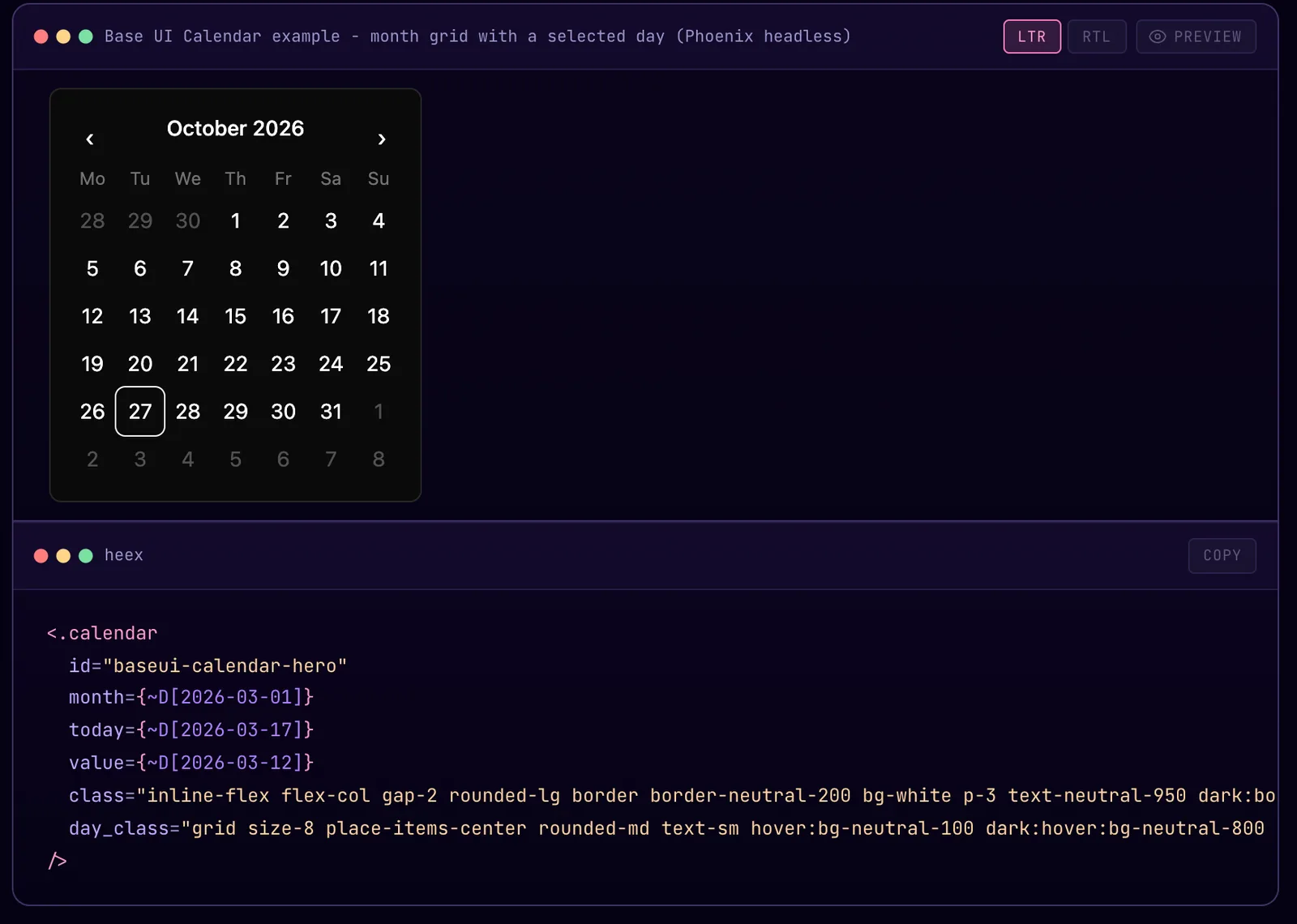
The new headless calendar, painted only with the classes in its example.
The 57 new headless components, by what they do:
- Forms and pickers: alpha slider, angle slider, hue slider, color input, color picker, color swatch, chip, file input, JSON input, mask input, pills input, tags input, text input, textarea, tree select, segmented control and rating.
- Buttons and navigation: button, action icon, close button, burger, anchor, nav link, breadcrumb, pagination, stepper, dock, fab, tree and theme controller.
- Layout and overlays: carousel, scroller, splitter, overflow list, floating indicator, floating window, loading overlay, marquee and spoiler.
- Content and data: alert, card, table, calendar, countdown, chart, sparkline, editor, code, highlight, mark, number formatter, rolling number, semi circle progress, empty state, pill, theme icon and visually hidden.
Many of them render on the server with no JavaScript at all, such as highlight, number formatter, semi circle progress and tags input:
<.semi_circle_progress value={72} label="Battery" shape="semi"
  track_class="stroke-base-300" indicator_class="stroke-primary">
  72%
</.semi_circle_progress>

<.highlight text="Phoenix LiveView" highlight="live" mark_class="bg-yellow-200" />

<.number_formatter value={1234567.891} thousand_separator="," decimal_scale={2} prefix="$" />
Two of them need an npm package, and you pick the engine with --lib. The chart runs on Apache ECharts (the default), Chart.js or billboard.js behind one API. The editor runs on TipTap 3 (the default), CodeMirror, Milkdown or Lexical, and stores JSON, HTML, text or Markdown. The generators detect bun, npm or yarn, and fall back to the bun Hex package, so you need no Node.js on your machine:
mix mishka.ui.gen.headless tree
mix mishka.ui.gen.headless chart --lib billboard
mix mishka.ui.gen.headless editor --lib tiptap
mix mishka.ui.gen.headless.components              # everything except the npm-backed ones
mix mishka.ui.gen.headless.components --with-npm   # chart and editor too
Here is the chart with its default engine. You write the engine's own option map in Elixir, and the series colors come from CSS custom properties, so a chart follows your light and dark themes:
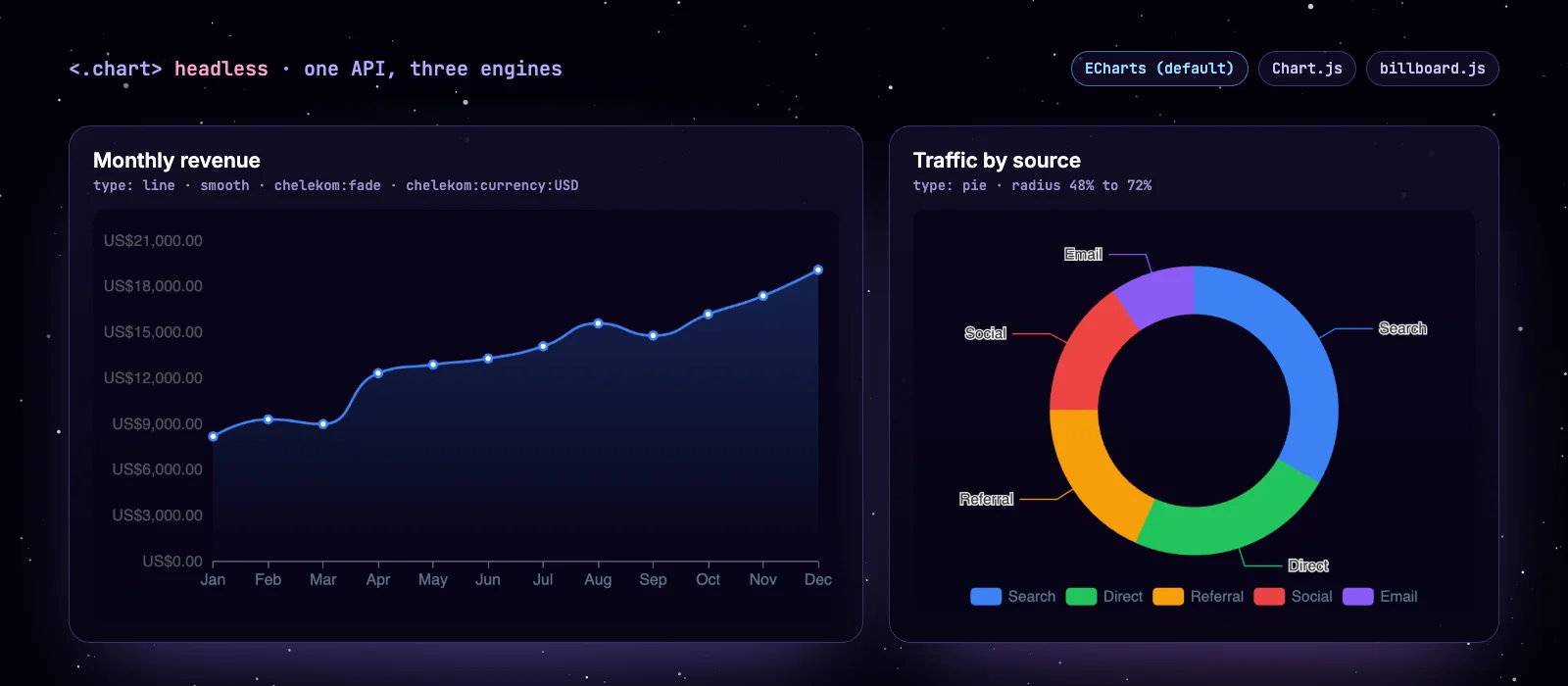
Two examples from the headless chart docs, drawn with Apache ECharts.
<.chart
  id="traffic"
  height="20rem"
  class="w-full max-w-md"
  aria_label="Traffic by source"
  option={
    %{
      tooltip: %{trigger: "item"},
      legend: %{bottom: 0},
      series: [
        %{
          name: "Source",
          type: "pie",
          radius: ["48%", "72%"],
          data: [
            %{value: 1048, name: "Search"},
            %{value: 735, name: "Direct"},
            %{value: 580, name: "Referral"},
            %{value: 484, name: "Social"},
            %{value: 300, name: "Email"}
          ]
        }
      ]
    }
  }
/>
The TipTap editor also closes issue #179, which asked for a rich text editor in 2024. Browse all 92 in the headless docs.
Paint any headless part from your markup
Every part a headless component renders now takes its own *_class attribute, so you can style any part from the markup, with no stylesheet. The headless line has 403 of these attributes across 78 templates, up from 169 across 31 in v0.0.9.
Here a switch gets a daisyUI look from its attributes, and the new :on_icon and :off_icon slots draw inside the track:
<.switch id="notify" name="notify" checked
  track_class="bg-base-300 data-checked:bg-primary"
  thumb_class="bg-base-100"
  label_class="text-sm">
  <:on_icon>On</:on_icon>
  <:off_icon>Off</:off_icon>
  Email me about replies
</.switch>
To show what that makes possible, the development app in the repository has a daisyUI gallery next to the Base UI one: all 92 headless components in 504 examples, painted with daisyUI and Tailwind classes written in the examples' own markup. Copy an example and you get the component and its look. daisyUI stays your own dependency, and the same works with any design system you use.
Chelekom components, ready for Mishka CMS
Every Chelekom release now ships two UI kits for Mishka CMS: chelekom.json with the styled set and chelekom_headless.json with the headless set. Mishka CMS installs a kit straight from the GitHub release and compiles its components at runtime, for your pages, your posts and its visual editor.
The kits are richer than in v0.0.9. The styled kit carries 136 components with 423 ready examples, and the headless kit 109. Each attribute now ships the options it takes, so the editor can offer a list: 418 attributes have one, and 317 of them also accept your own class string, such as size="py-1 px-2". Every component links to its docs page, the sample pictures travel inside the kit, and 1,288 Heroicons give the CMS an icon picker from the same file.
Several components used to arrive blank or wrong in a CMS, and they are fixed:
- An alert with
kind="danger"drew the neutral style (#516). - Text, URL, email and other field labels drew a generic gray label (#517).
- Every headless button failed with "Component failed to render!" because of a name mismatch (#524).
- The headless calendar and countdown drew nothing, and seven components such as the carousel and the tooltip arrived as an empty strip (#513, #506).
You can build a kit from your own components too. The export task walks a folder and writes a kit Mishka CMS can install:
mix mishka.ui.export priv/components --cms --name chelekom --bundle-name chelekom --bundle-version 0.0.10 --yes
mix mishka.ui.export priv/headless --cms --name chelekom_headless --bundle-name chelekom_headless --bundle-version 0.0.10 --yes
This blog runs on Mishka CMS, and the timeline, the notes and the questions in this post are Chelekom components from those kits. Read how kits work in components and UI kits, how to add one in install or upgrade a UI kit, and the story of the CMS in Introducing Mishka CMS.
Your theme tokens stay in place (issue #511)
Generating components no longer overwrites your Tailwind @theme block. Chelekom now sets only its own tokens and keeps yours, and uninstall takes back only what install added.
tanguilp reported it in issue #511: after mix mishka.ui.gen.component tooltip, the project's own --font-caveat and --color-brand were gone, because the generator replaced the whole body of the block. A project with @theme inline even got all 251 of Chelekom's tokens written into it. With igniter_css 1.1, an existing token only changes its value, a missing one is added, and your tokens and comments stay where they are:
@theme {
  --font-caveat: "Caveat", cursive;               /* yours, kept */
  --color-brand: #0f766e;                         /* yours, kept */
  --color-primary-light: var(--primary-light);    /* Chelekom's, set or updated */
}
A @theme inline block is left alone. Generating and then uninstalling now returns app.css byte for byte, which we checked in a fresh Phoenix 1.8 app:
mix mishka.ui.gen.components --import --helpers --global --yes   # a second run changes nothing
mix mishka.ui.uninstall --all --include-css --include-config      # app.css comes back as it was
A css_overrides value that is not valid CSS now stops generation and names the override, where it used to ship the default silently. Thank you, tanguilp, for the clear report. The fix is #512.
Floating menus open in the right place, and much faster
Dropdowns, popovers and tooltips share one JavaScript hook, and two of its bugs are gone. A hover menu could open at the far left edge of the page instead of under its trigger, and a page with many tooltips froze for seconds after a LiveView navigation.
The menu opened in the wrong place because the hook measured its content before taking it out of the page flow, when it was as wide as the page (#522). The freeze came from reading the layout while mounting. Now the hook reads no layout until a menu opens (#520). We measured it on our design system page, which has 142 floating hooks:
Mounting every hook
From a click to the new page title
You get the fix by regenerating the floating components. Nothing changes in how you write them:
<.dropdown id="user-menu" clickable={false} smart_position position="bottom" relative="relative">
  <:trigger>
    <.button>Account</.button>
  </:trigger>
  <:content>
    <p>Signed in as Shahryar</p>
  </:content>
</.dropdown>
See the dropdown, popover and tooltip docs.
Accessibility fixes: alt text and names for icon-only controls
An audit of our own docs found images and icon-only buttons that callers had no way to name. They all take a name now (#523):
- Carousel: each slide takes
alt, where an empty string marks it decorative, and the previous and next buttons have labels you can change. - Accordion and timeline: their images take
alt. The timeline used the image's file path as its alt text before. - Password field: the show and hide toggle has a label and
aria-pressed. The search field's button is labelled Search. - Dock and speed dial: a dock with hidden labels keeps them for screen readers, and each speed dial item takes a
label.
<.carousel id="hero" indicator previous_label="Previous photo" next_label="Next photo">
  <:slide image="/images/1.webp" alt="Aurora over a lake" title="North" />
  <:slide image="/images/2.webp" alt="" />
</.carousel>

<.speed_dial id="actions" icon="hero-plus" clickable>
  <:item icon="hero-home" label="Home" href="/"></:item>
</.speed_dial>
See the carousel and speed dial docs.
The editor and the chart work under a strict CSP
Under a Content Security Policy that allows no inline style, the headless editor and chart now keep their look and log no violations. Both used to inject <style> elements that such a policy blocks.
TipTap 3 adds its own stylesheet by default. The TipTap engine now turns that off, and the few base rules ProseMirror needs are Tailwind classes on the editor surface. Bold also shows as active at once at a collapsed cursor, where it used to lag one keystroke (#525). If you want TipTap's stylesheet back under a nonce, turn it on in the extensions file the generator creates for you:
// assets/vendor/editor_extensions.js
export default {
  extensions: [],
  starterKit: {},
  injectCSS: true,
  injectNonce: document.querySelector('meta[name="csp-nonce"]')?.content,
};
With billboard.js, the chart filled its lines in black and lost its axis styles under such a policy. It now adds billboard's rules once per page as an adopted stylesheet, which no style-src governs, and adopts it again after a LiveView navigation. A new test fails on any hook in the library or the CMS kits that writes a <style> element or a style attribute.
Rating fills the stars you asked for
A styled rating given its value as text now fills the right number of stars. select="3" filled all five, because in Elixir 1 <= "3" is true, and that is exactly how a value arrives from a HEEx string or from CMS content. The empty stars also keep their gray now (#518).
<.rating select="3" />                    <%# 3 stars; it filled 5 before %>
<.rating select="2.5" precision={0.5} />  <%# 2 full and a half; it filled 5 before %>
<.rating field={@form[:rating]} precision={0.5} color="warning" />
The headless rating reads a whole star to screen readers as "3 of 5" instead of "3.0 of 5". See the rating docs.
Tailwind CSS v4: class names, pointer cursors and borders
Every class in the templates, demos, usage rules and hooks now uses Tailwind CSS v4's names. v4 kept most v3 names as aliases, so the kit compiled fine, but some classes drew something other than what they were written for. We compiled every class with Tailwind 4.3.3 and fixed what we found:
- Renamed scales:
shadow-smisshadow-xs,rounded-smisrounded-xs, andbg-gradient-to-*isbg-linear-to-*in 371 gradient classes. The sizes you see do not change. - Buttons show the pointer again. v3's preflight gave every button
cursor: pointer, and v4's does not. 31 clickable elements in the templates now carrycursor-pointerthemselves, and so do the examples in the docs. - Borders have their own color. v4 draws a bare
borderin the text color, where v3 drew gray. Accordions, button groups, the combobox trigger and others now name a border color. - 40 classes that drew nothing, such as typos and theme colors the theme never defined, are fixed.
One change is visible. In v4, rounded-sm and a bare rounded are the same size, so extra_small and small looked identical in 50 components. extra_small is its own size again (#526):
<.badge rounded="extra_small">2px corners</.badge>   <%# it was 4px, the same as small %>
<.badge rounded="small">4px corners</.badge>
Tests now fail on a v3 class name, on a button without the pointer and on a border without a color. Chelekom supports Tailwind CSS v4 only. The tokens and sizes are on the design system page.
Component fixes found at phone width
We checked every docs example at phone width and rendered every component with only its required attributes. These fixes came out of it (#524, #526):
- Your display classes win. A button's own
inline-flexbeat yourhidden, soclass="hidden md:flex"never hid it. A component now drops its own display class when yours names one, in 26 templates. - Form fields render without a value.
<.email_field name="x" />raisedKeyError.nameandvaluedefault to nil on every field, and a bound toggle or color field keeps the field's value. - Banner positions name their edge.
border_position="top"drew the bottom border. A banner with neither attribute looks as before. - Avatars and breadcrumbs. An avatar keeps its initials in a narrow row, and a long breadcrumb wraps instead of overlapping.
rounded="none"means no radius on 14 components, where it printed a class callednone.- Three crashes are gone: a carousel slide without an image, a range field value without a position, and a combobox without an id.
<.button class="hidden md:flex">Desktop only</.button>

<.banner id="promo" border_position="top" rounded_position="top" rounded="large">
  The border and the rounded corners are on top now.
</.banner>

<.email_field name="email" />
Generated code formats the same on every Elixir version
A component generated on one Elixir version used to fail mix format --check-formatted on another. 31 helper clauses were written as one-line guards, and once such a clause grows past the line width, Elixir 1.18 and 1.19 lay it out differently. They are written with do ... end now, which every version formats alike:
# before: Elixir 1.18 and 1.19 format this differently once it outgrows the line
defp size_class(size) when is_binary(size) and size != "", do: "p-#{size}"

# after: the same on every version
defp size_class(size) when is_binary(size) and size != "" do
  "p-#{size}"
end
A test fails on any new clause written the old way. The generated components also pass mix credo --strict and compile without warnings on Elixir 1.20.
Docs badges come from each component's options file
The badges on a docs page, such as Stateless, JS and Accessible, are now declared by each component instead of guessed from its template. Every component's options file now ends with a docs block, and the docs site reads it (#515):
docs: [stateful: false, js_module: true, js: false, accessible: false]The generators ignore the block, so it changes nothing in your project. Along the way, 28 headless docs links that used underscores and answered 404 now use the docs site's dashed addresses (#521).
Security advisories patched in our lockfiles
The release pipeline now audits dependencies, and it stopped an alpha tag on real advisories. We updated mint, html_sanitize_ex, bandit and plug_crypto in the repository's lockfiles, including two advisories rated high (#500, #499, #529).
Chelekom is a dev-only dependency and our lockfile does not reach your app, so your own lockfile is the one to check. Both audits take a minute to add:
{:mix_audit, "~> 2.1", only: [:dev, :test], runtime: false}mix hex.audit && mix deps.auditIn our run, mix hex.audit caught four advisories that mix deps.audit did not report, so we run both. More on how we handle security is on the security page.
One tag publishes the whole release
v0.0.10 is the first Chelekom release built entirely by CI. Pushing a version tag now runs 14 jobs: the library and generator tests, a security scan, the dependency audit, both CMS kits, the Hex package, the Mob tests and the Android builds. Then it publishes everything to the GitHub release with a checksum file.
The workflow refuses a tag that disagrees with the version in mix.exs, and alpha, beta and rc tags publish as pre-releases. You can check any download against its checksum:
gh release download v0.0.10 -R mishka-group/mishka_chelekom -p chelekom.json -p SHA256SUMS.txt
sha256sum -c --ignore-missing SHA256SUMS.txt
Running the Android app in CI also found three real bugs in it, code that had never run before, and they are fixed (#499).
Other fixes
- The file upload dropzone opens the file picker again. Its label pointed at an id the input never had. Thank you to Rope-a-dope for the report (#496).
- The first JavaScript hook in a project registers. A project whose only hook was the headless chart never mounted it.
- The headless radio group can be horizontal, with an
orientationattribute the arrow keys follow. - A headless navigation menu item with an
hrefis a link, not a dropdown. - The chart docs name the right flag,
--lib, where they said--engine. - The usage rules show the usage_rules 1.2 setup for AI agents.
Before you upgrade
Components are generated into your project, so nothing changes until you regenerate. When you do, check these:
For Mob apps, regenerating writes your tags to config :mob, :extra_tags, and a few components changed their layout, such as the drawer trigger and the overflow list counter. The changelog lists each one.
What comes next
Our goal is still a stable v0.1.0. With the styled, headless and mobile lines in place, the next releases harden them and fix what you report on GitHub. The roadmap has the details.
Mishka Chelekom is young and covers a lot of ground, so you will find bugs. Please open an issue on GitHub when you do; reports like #496 and #511 made this release better.
Support Mishka Chelekom
Mishka Chelekom is free and open source under the Apache 2.0 license, and a small team builds it. If it saves you time, a sponsorship of any size keeps the releases coming.
If your company needs components of its own, a design system built on Chelekom, or help with a Phoenix LiveView project, look at our custom services or hire our team.
Questions people ask about Mishka Chelekom v0.0.10
Thank you
Thank you to GenericJam for Mob and for a first pull request to Chelekom, and to tanguilp and Rope-a-dope for the reports that made this release better. Thank you to the teams behind Base UI, Mantine, daisyUI and TipTap, whose work these components learn from.
And thank you to Zach Daniel for Igniter, the base of every Chelekom generator, and to everyone on our sponsor page who keeps the project going.
The Mishka team
Shahryar Tavakkoli writes about Elixir and Phoenix LiveView: Mishka Chelekom releases, GuardedStruct validation, static sites, service workers and SEO.