Mishka Blog: The Free Phoenix LiveView Blog Inside Mishka CMS 0.0.1
An open source blog engine for Elixir, Phoenix LiveView and the Ash Framework ecosystem, built into Mishka CMS: SEO, JSON-LD, sitemaps and share images on every page, compared with WordPress and Joomla.

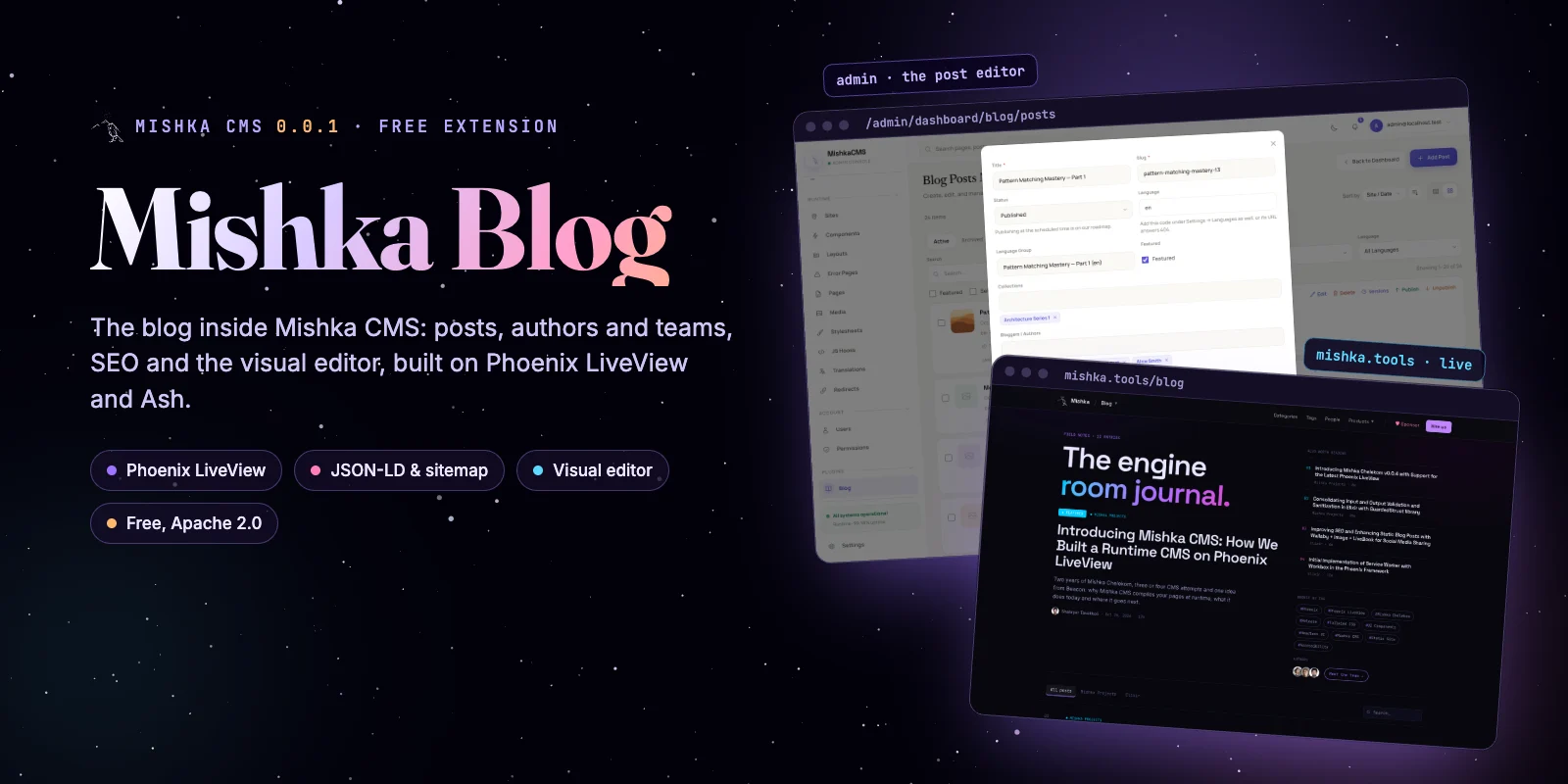
Mishka CMS 0.0.1 is out, and we told the story of how we built it in Introducing Mishka CMS. This post takes one extension and opens it up: Mishka Blog, the free blog engine of Mishka CMS. You are reading a Mishka Blog post right now. mishka.tools keeps every article, author and team in it.
We will show what it does today with screenshots and real output, compare its SEO with the plugins WordPress and Joomla sites use, and list plainly what is not finished yet.
What Mishka Blog is, and why it is free
Mishka Blog is a multi-author blog for Mishka CMS, built with Elixir, Phoenix LiveView and Ash. It adds posts, categories, tags, authors, teams and comments to a site. Each of them gets its own SEO, and you place them on pages you edit in the visual editor.
It is free and open source under the Apache 2.0 license, like Mishka CMS itself. We may sell some extensions later; the founding seat already includes every one of them. A blog is something almost every website needs, so we want it in every install from day one, at no cost.
Mishka Blog 0.0.1 reached Hex on 25 October 2026, the same day as the first Mishka CMS core. Its git history starts in October 2025, and it moved into its own public repository in August 2026. It is young, and you will find rough edges. The last part of this post lists them.
Set it up on a site in one click
When you install Mishka CMS, the install wizard lists the extensions it found, and you tick Blog. For a site that already exists, open Blog in the admin and press Set up. Both run the same step, and nothing happens to a site until someone asks for it.
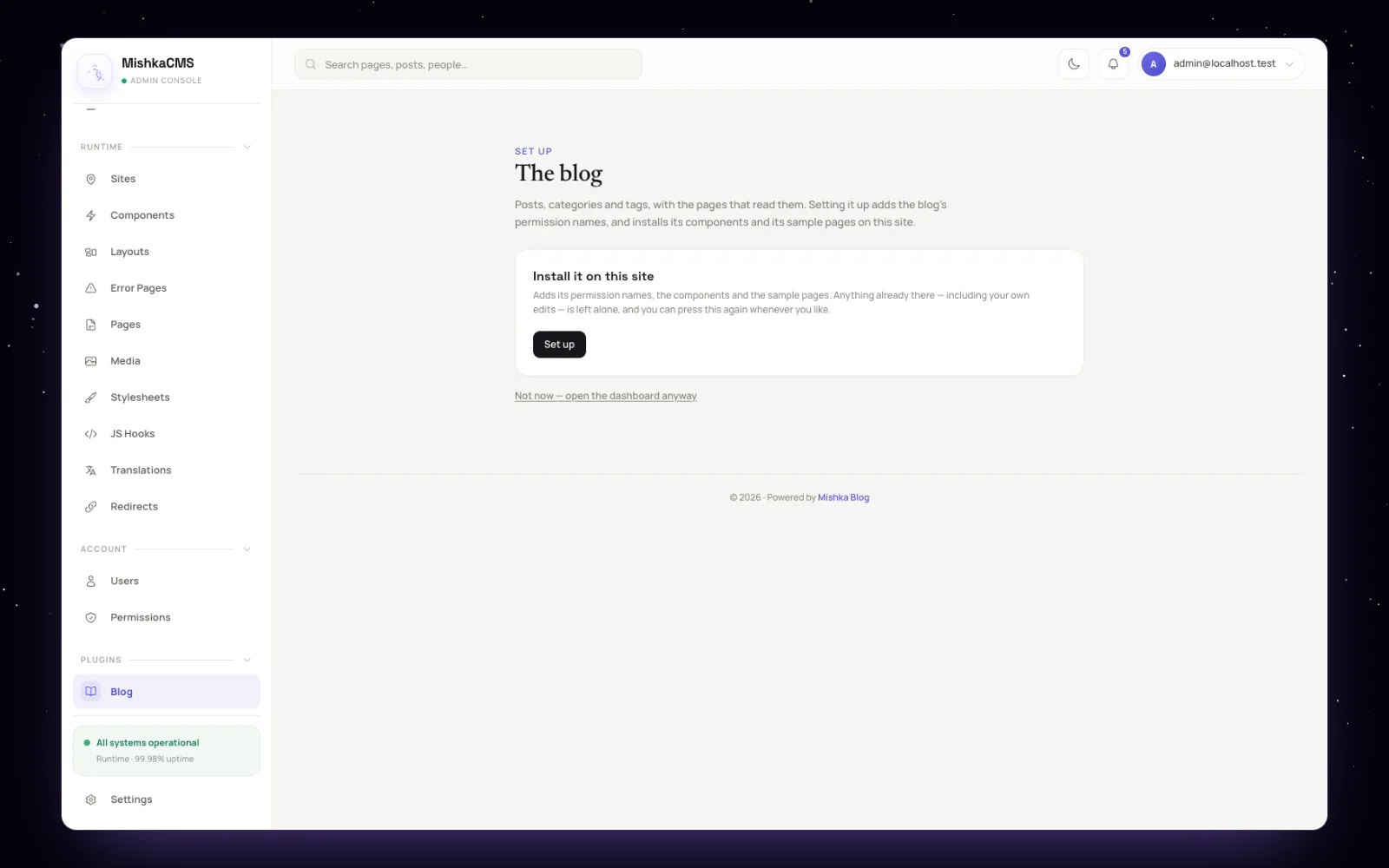
Set up, on a site that has no blog yet. Screenshots of the admin come from a local demo install.
Set up writes six permission names, the 17 blog components, nine sample pages and a "Blog sidebar" snippet you can drop on any page. You can press it again whenever you like. It only adds what is missing and never overwrites a page or a component you have edited.
A page is compiled, a post is data
Mishka CMS compiles your pages, layouts and components into Elixir modules while the site runs, so a published page needs no deploy. Mishka Blog keeps that for its own pages and components and treats posts as data: a post is a row in the database, read when a visitor asks for it.
So saving a post compiles nothing. The next visit reads the new row. A save does three more things in the background: the site's sitemap is rebuilt, the post's share image is drawn again, and the site's CSS is rebuilt only when the post uses a component, icon or class the site has not used before.
When a visitor opens a post, the page reads the post once, with its categories, tags, authors and comment count, and hands that one read to the page's head, its frame and every block on it. Locks are part of that read. A post can name the permissions a reader needs, or take them from its category, and the check runs in the SQL of the read itself. A locked post asked for by a stranger answers "not found", and it stays out of the sitemap.
Writing a post
Posts live under Blog in the admin. The list shows each post with its comments, its status and the languages it has, and you can filter by category, status and language.
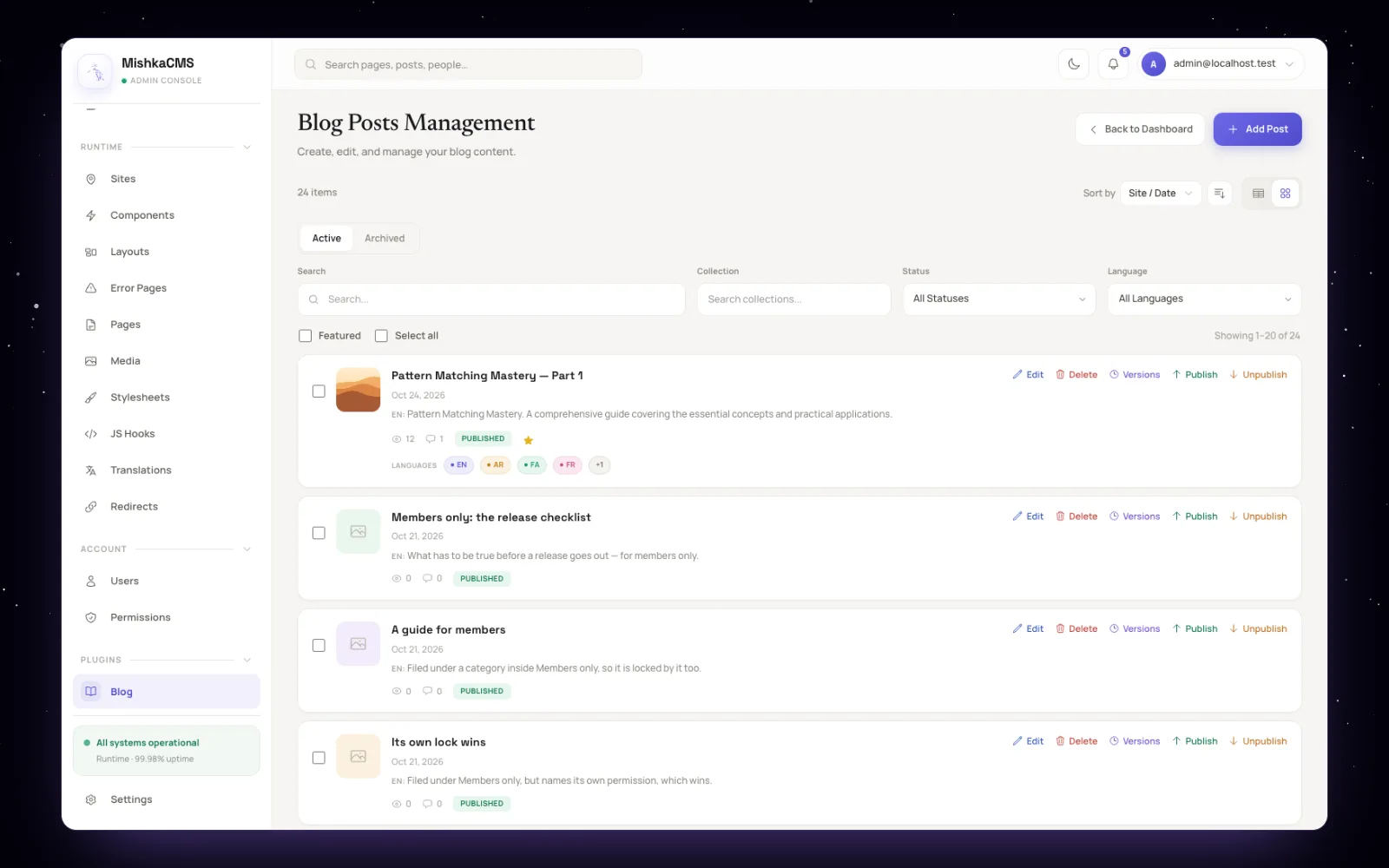
Every post in one list, each with its language editions as badges. The view counts come from demo data; the blog does not record views yet.
The post form puts the title, slug, status, language, categories, authors and tags above the content. The slug follows the title while you write a new post. Each language of a post is its own row in one language group, so a translation has its own slug, its own SEO and its own share image.
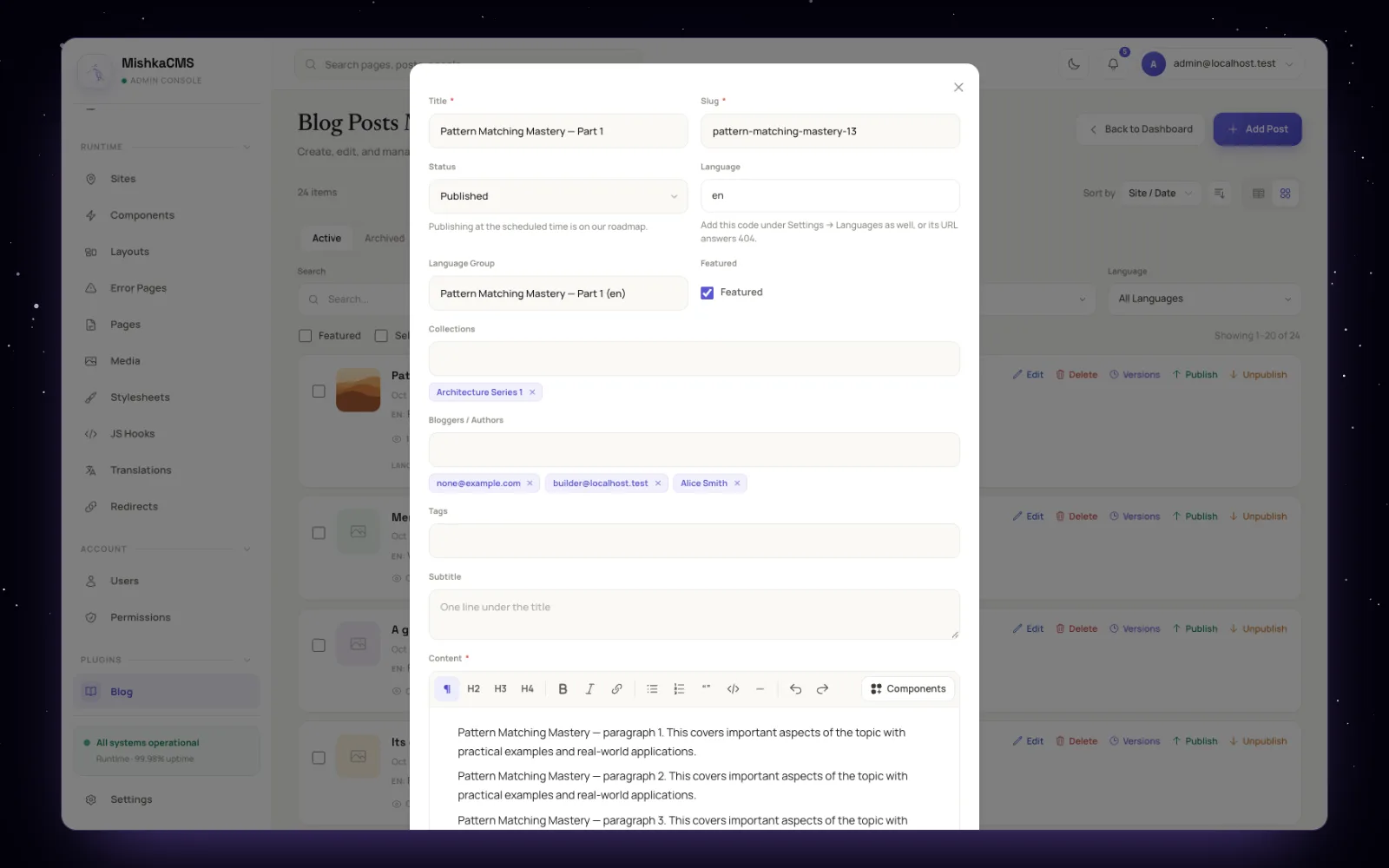
The post editor. The content editor is the headless editor engine of Mishka Chelekom.
Components inside a post
The content editor has headings, lists, quotes, code blocks, links and a Components button. That button opens every active component of the site, so a post can hold an alert, a timeline, an FAQ or a product card from your own design. With the Mishka Chelekom kits installed, that is more than 200 styled and headless components.
In the stored post a component is a short marker:
[[component chelekom-alert kind="info" title="Before you upgrade"]]
  <p>Regenerate the editor after the update.</p>
[[/component]]
Markers can nest, carry slots and go eight levels deep. A marker that names a component the site does not have draws nothing, and a marker inside a code block, like the one above, stays text. This post uses markers for its alert, its timeline and its questions at the end.
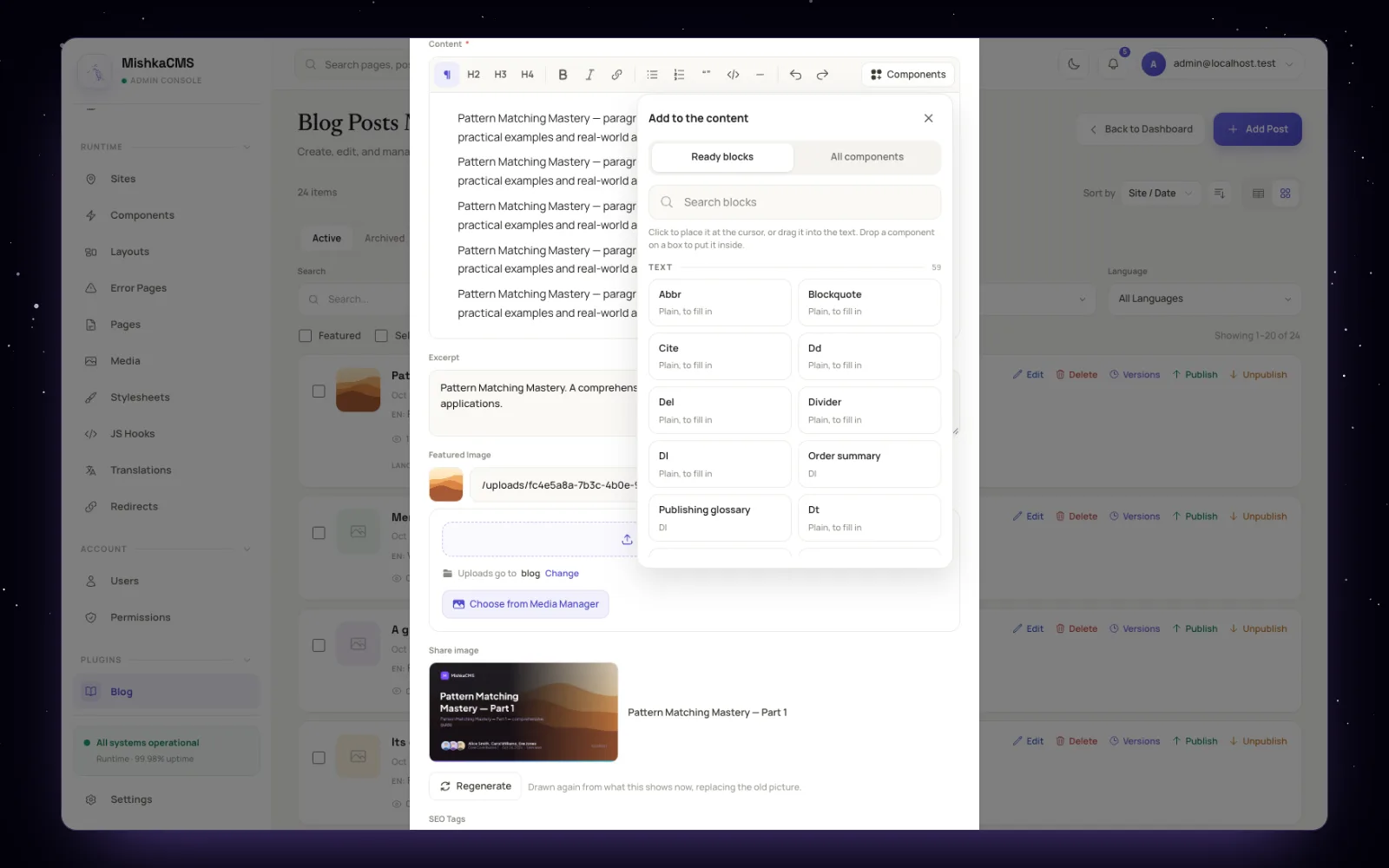
Add to the content: ready blocks, or any component of the site.
Cleaned once, when you save
The blog does the expensive work on save, never on a visit. The content goes through HtmlSanitizeEx. Code blocks are highlighted with Makeup for Elixir, HEEx, EEx, Erlang, HTML, JSON, diff, SQL, JavaScript, TypeScript and CSS; shell blocks stay plain. The reading time is counted at 200 words a minute.
Versions you can restore
Posts, categories, tags, authors and teams keep a version history. You can open any version, preview it and restore it. A restore brings back the post's own fields; its categories, tags and authors stay as they are now.
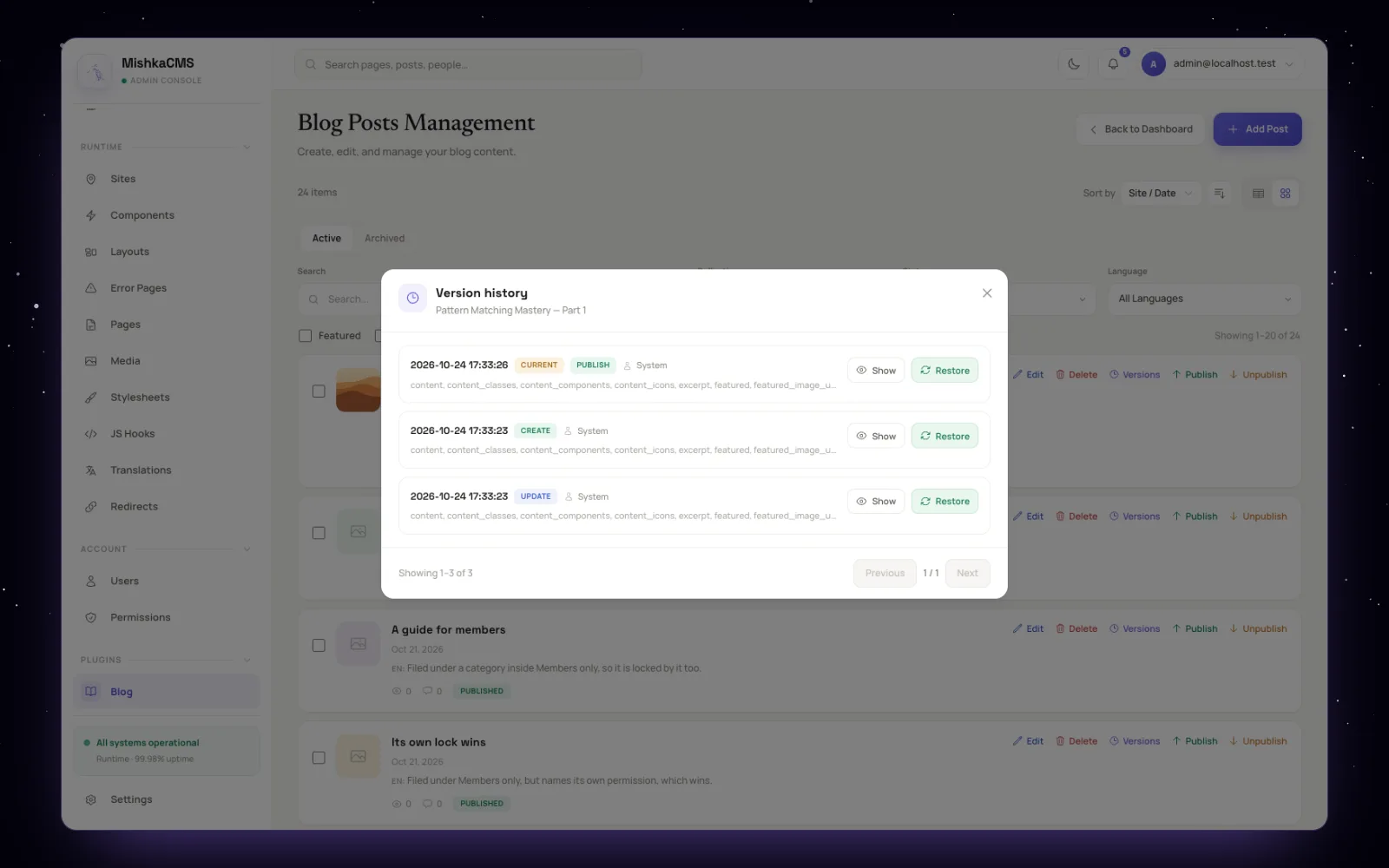
Version history, with Show and Restore on each version.
Under all of this sit 18 Ash resources. Categories and tags can nest. Authors have a bio, a photo, a cover, their topics and their social links, and they can work without an account. Teams group authors. Comments are threaded and wait for approval.
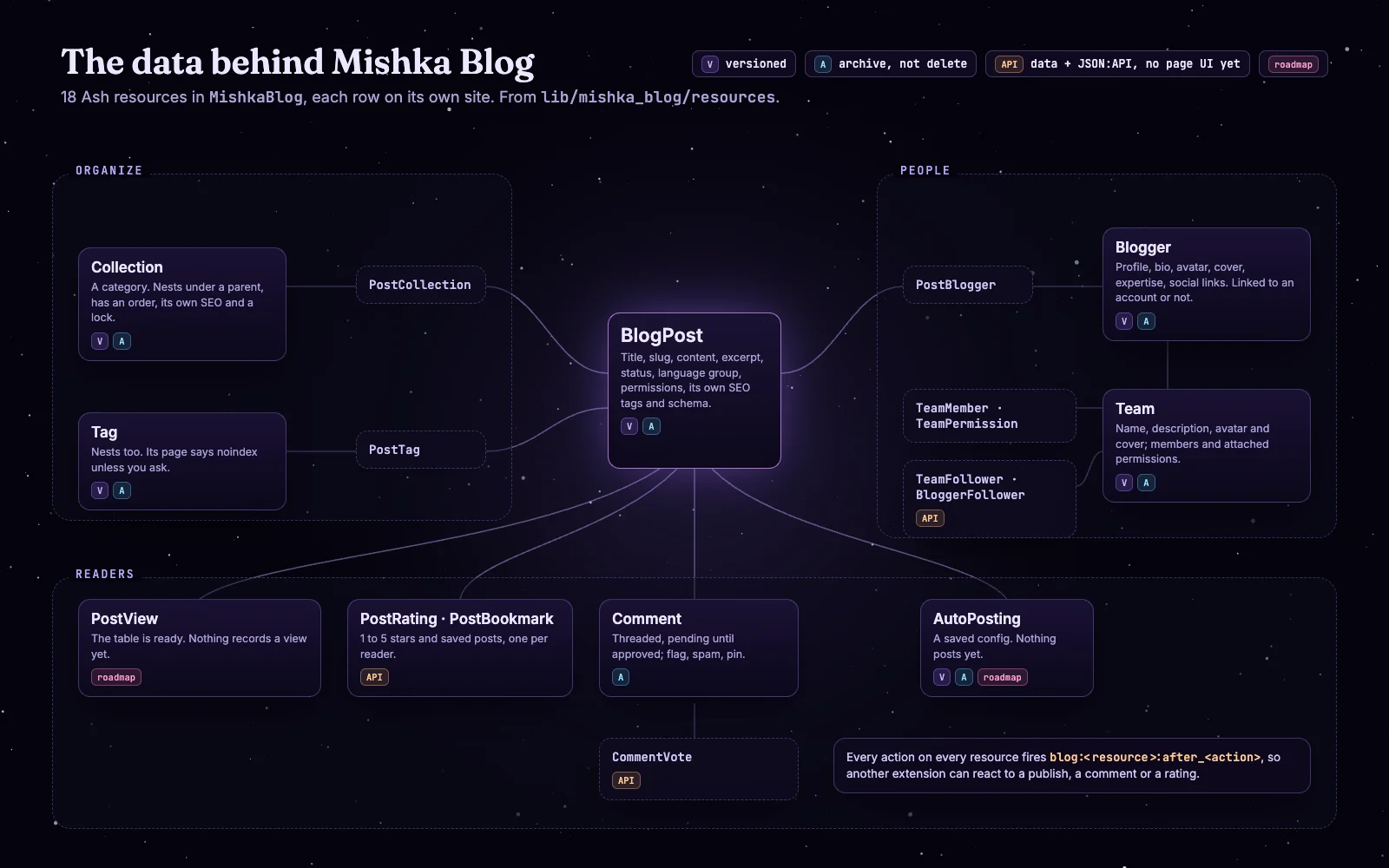
The data model, drawn from lib/mishka_blog/resources.
The blog inside the visual editor
Every blog page is an ordinary Mishka CMS page, so you change it in the same visual editor as the rest of the site. The blog's components sit together under "Blog" in the editor's palette, next to more than 200 styled and headless Mishka Chelekom components, and you can drop them on any page, not only the blog's.
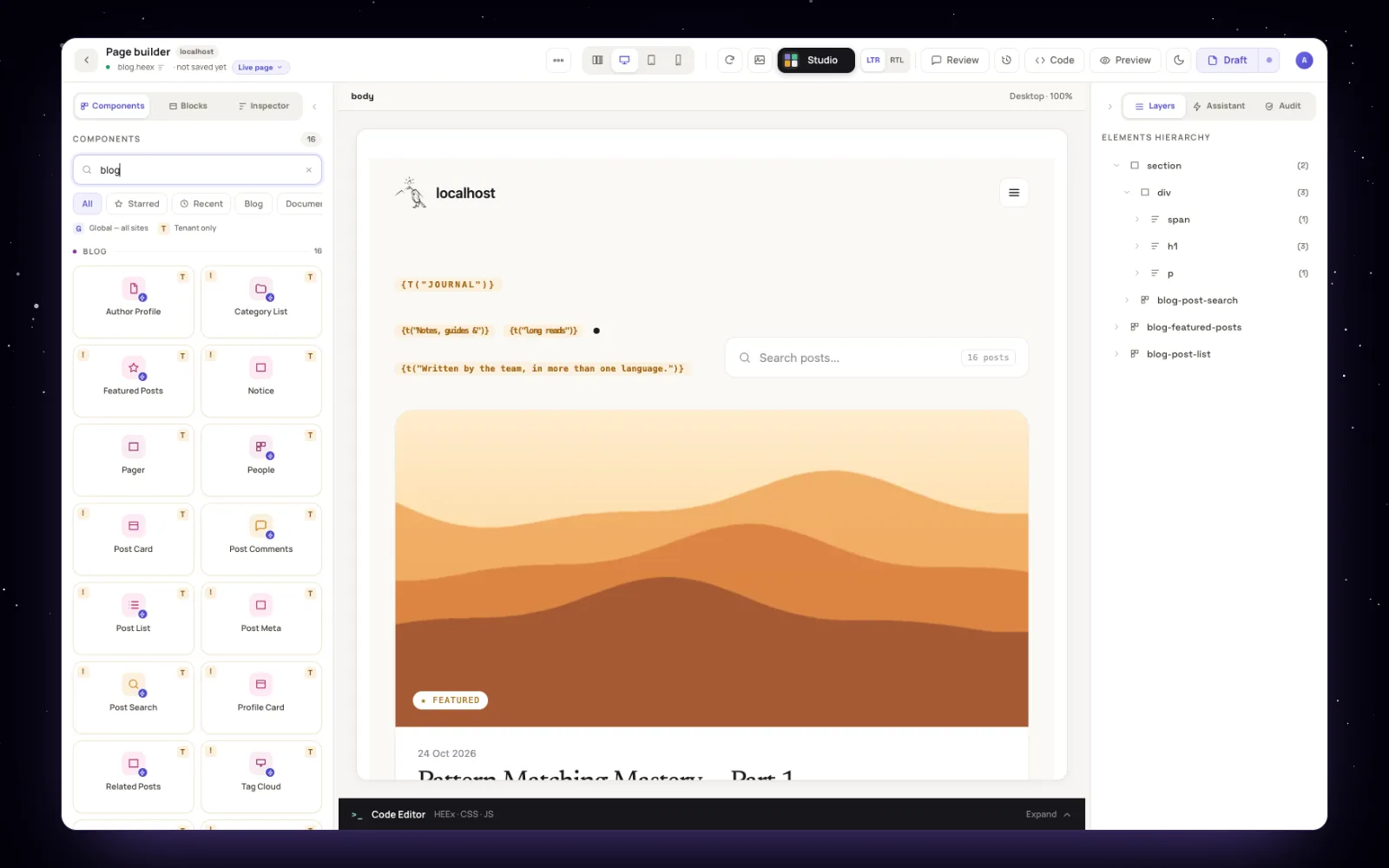
The blog home in the visual editor, with the Blog components on the left and the page's layers on the right.
The kit has 11 blocks that read data (post list, featured posts, search, tag cloud, post, categories, comments, related posts, author, team, people) and 6 small pieces they are built from, such as the post card and the pager. A page can say which kind of record it shows: a post, a category, a tag, an author or a team. The editor then offers up to eight of your own rows to preview the page with.
New releases of the blog do not overwrite your design. The "Blog components" card on the blog dashboard compares each of your components with the new kit, marks it current, outdated or edited by you, and writes only the ones you pick. An outdated sample page comes back as a draft of itself, for you to look at in the editor before you publish it.
SEO built in
Every post, category, tag, author and team page gets its own head without anyone typing it. The image below is the real head of one post on this site.
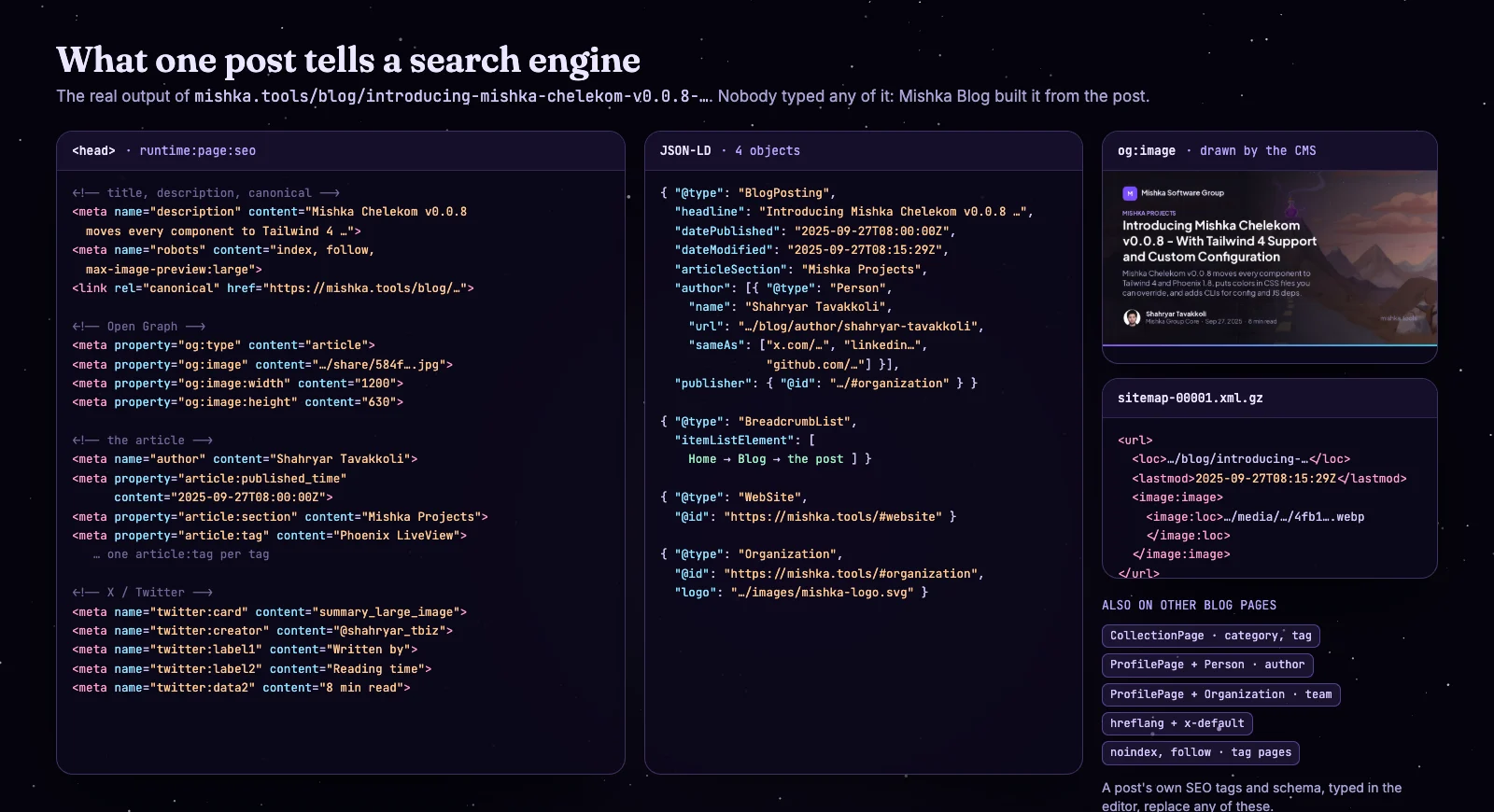
Title, description, canonical, Open Graph, article and X tags, four JSON-LD objects and the sitemap entry, all from one post.
Here is what each kind of page says:
- A post gets a
BlogPostingwith its authors asPersons (with their profile pages and social links), aBreadcrumbList, thearticle:tags for its date, category and tags, and two X labels: who wrote it and how long it takes to read. - A category is a
CollectionPage, indexed and listed in the sitemap. A tag is aCollectionPagetoo, but its page saysnoindex, followby default: search engines follow its links to the posts, and thin tag pages stay out of the index unless you choose otherwise. - An author is a
ProfilePageabout aPerson, with their topics and social links. A team is aProfilePageabout anOrganizationwith its members. - A post in more than one language lists every edition with
hreflang, plus anx-default.
Mishka CMS adds the rest for the whole site: WebSite and Organization JSON-LD, a canonical address, a robots.txt per site, and a sitemap per site. The sitemap is gzipped, carries each post's image and its last change, splits at 50,000 addresses, and is rebuilt after every save. Drafts, locked posts and pages marked noindex never appear in it.
Every value is a default. A post's own SEO tags and its own schema, typed in the editor, replace what the blog builds. The schema editor offers types such as Article, FAQPage, Product, SoftwareApplication and Event. The FAQ at the end of this post is one.
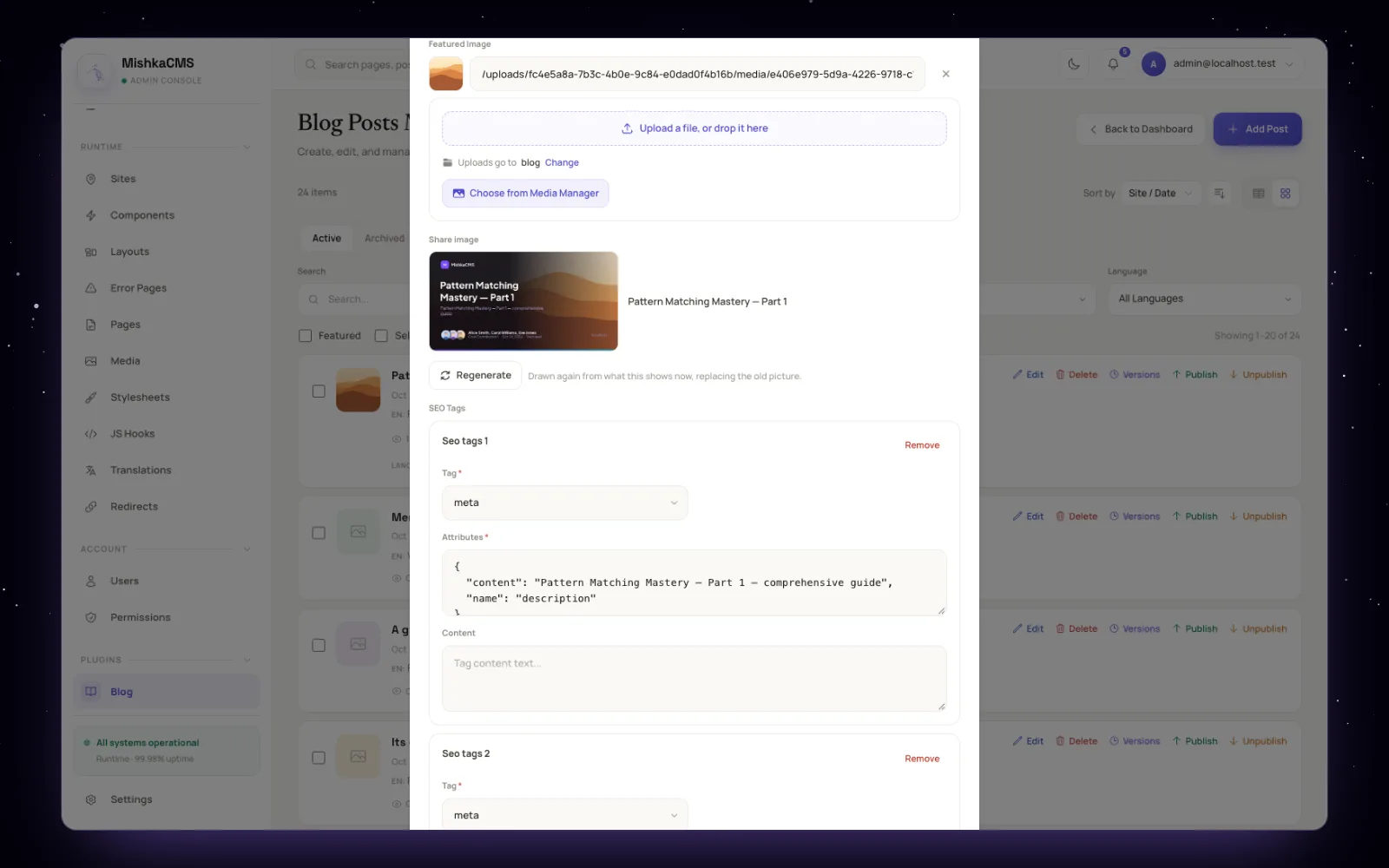
The post form: the featured image, the share image Mishka CMS drew for it, and the post's own SEO tags.
A share image for every page
When a link is shared on X, LinkedIn or a chat app, the picture comes from og:image. Mishka CMS draws one for every post, category, tag, author and team: a 1200×630 card with the title, the authors' photos, the date and the reading time, over the featured image. libvips draws it in a background job after the save, in left-to-right and right-to-left scripts. A Regenerate button draws it again, and an image you set yourself always wins.
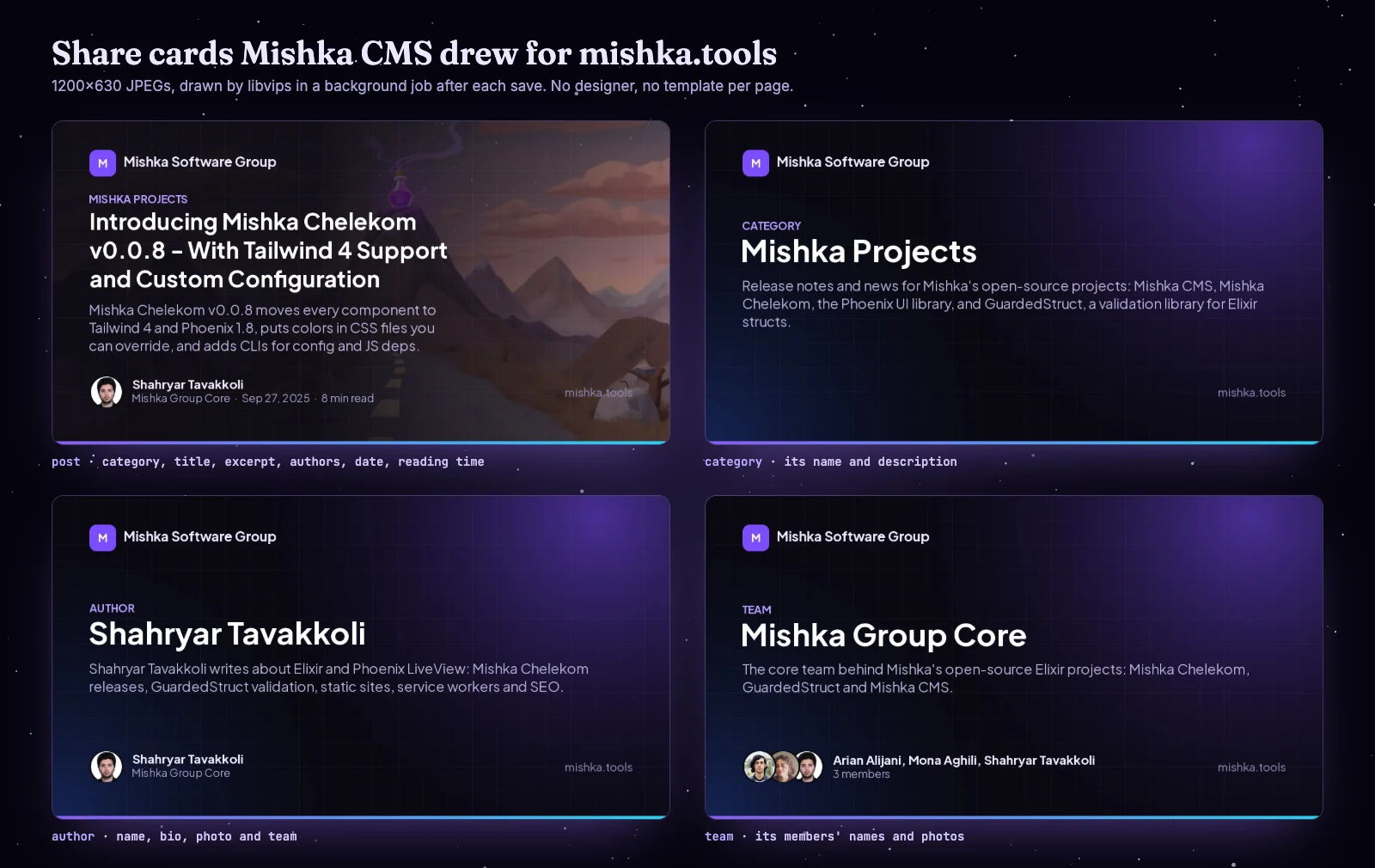
Four of the share cards on mishka.tools, as the site serves them.
How it compares with WordPress and Joomla SEO plugins
A WordPress blog usually gets its SEO from a plugin, and Joomla 6 ships part of it in core. We read the vendors' own pages and the Joomla source on 28 October 2026 and put the features a blog needs side by side. Mishka Blog's column only lists what the code does today.
| Feature | Mishka Blog 0.0.1 | WordPress + Yoast SEO (free) | WordPress + Rank Math (free) | Joomla 6 core |
|---|---|---|---|---|
| XML sitemap with images and lastmod | Yes, per site, gzipped, 50,000 per file | Yes, 1,000 per file | Yes, 200 per file | No, needs an extension |
| BlogPosting with Person authors and BreadcrumbList | Yes | Yes | Yes | Yes, with the schema plugins and the breadcrumbs module |
| ProfilePage for authors | Yes, and for teams | Yes | Yes | No |
| CollectionPage for categories and tags | Yes | Yes | Yes | No |
| Generated share images | Yes, 1200×630, for every record | No | No (Pro can watermark your image) | No |
| hreflang between translations | Yes, with x-default | Needs a multilingual plugin | Needs WPML or Polylang | Yes, Language Filter plugin |
| Many sites from one install | Yes, each with its own sitemap and robots.txt | With WordPress multisite | With WordPress multisite | No |
| Redirects when a slug changes | No, manual rules only | Premium | Yes | Manual rules |
| Content analysis and keyword scores | No | Yes | Yes | No |
| AI writing help | No | Premium | Separate paid AI plans | No |
| Price of the paid tier | None, free | Premium, 118.80 a year | Pro, 7.99 a month billed yearly | None, free |
Sources: Yoast structured data, Yoast sitemaps, Yoast pricing, Rank Math schema, Rank Math sitemaps, Rank Math redirections, Rank Math pricing, Joomla schema plugins, Joomla sitemaps. Prices are for one site, before tax, as the vendors showed them.
The plugins win on several fronts, and we want to be clear about them. Yoast has been on WordPress.org since 2008. They grade your writing as you type, track keywords, manage redirects and plug into page builders and stores. Mishka Blog has none of that yet. What it has is the plumbing built in: the structured data, the sitemap, the share images and the language links come with the blog, for every site in the install, with no plugin to choose, set up or pay for.
How we run mishka.tools on it
mishka.tools is a Mishka CMS site, and its blog is Mishka Blog. Before this article it held 13 published posts, 2 categories, 20 tags, 3 authors and one team. We did not keep the stock look. The site draws the blog with its own dark components, made in the admin over Mishka Blog's data, and uses the kit's comments block on each post.
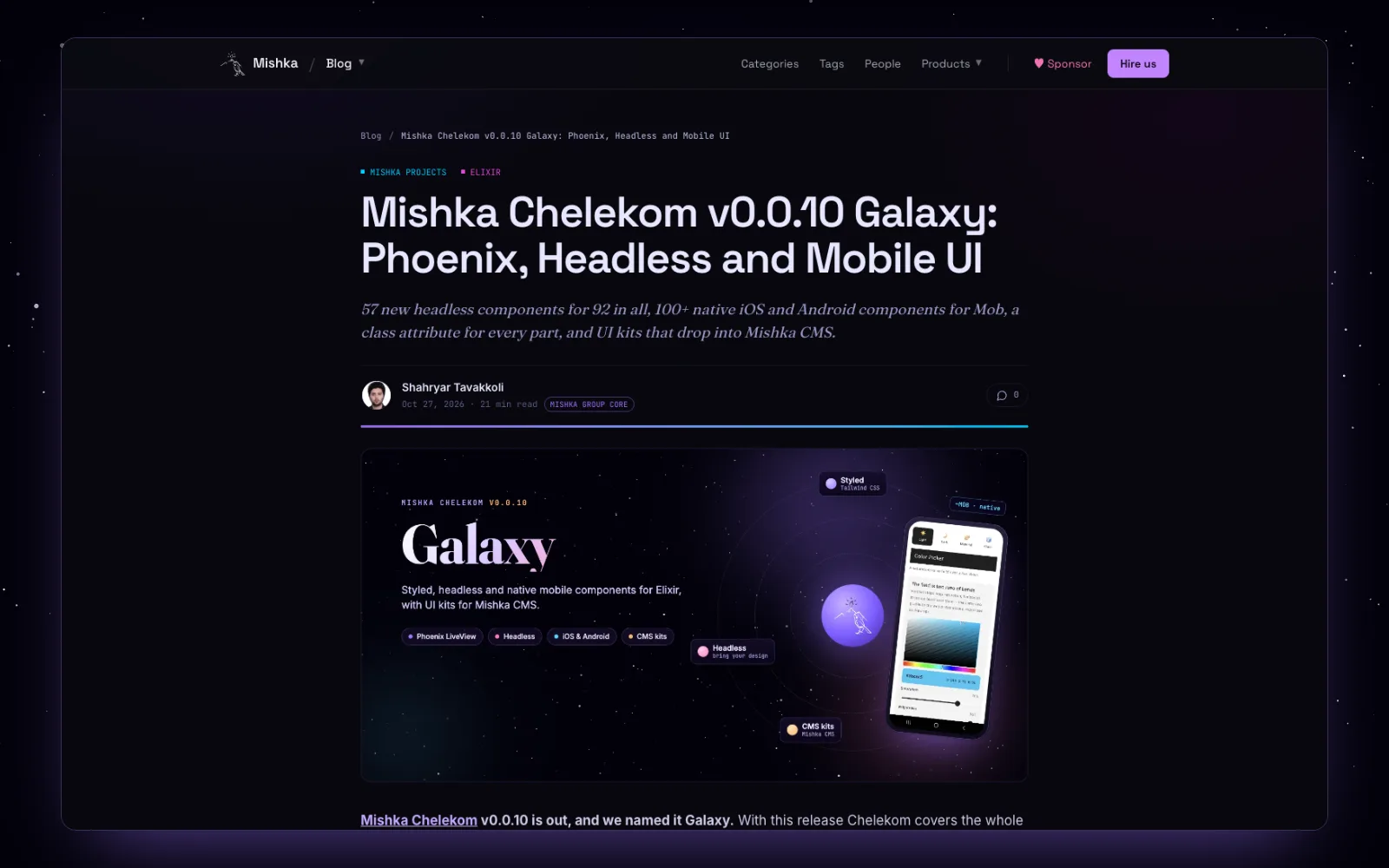
A post on mishka.tools: the site's own design, the blog's data and SEO.
This week we gave our team page a cover, an avatar, a post count, a pager like the blog's and a breadcrumb, on the live site, with no deploy. The team page's ProfilePage data and its share card came with the blog.
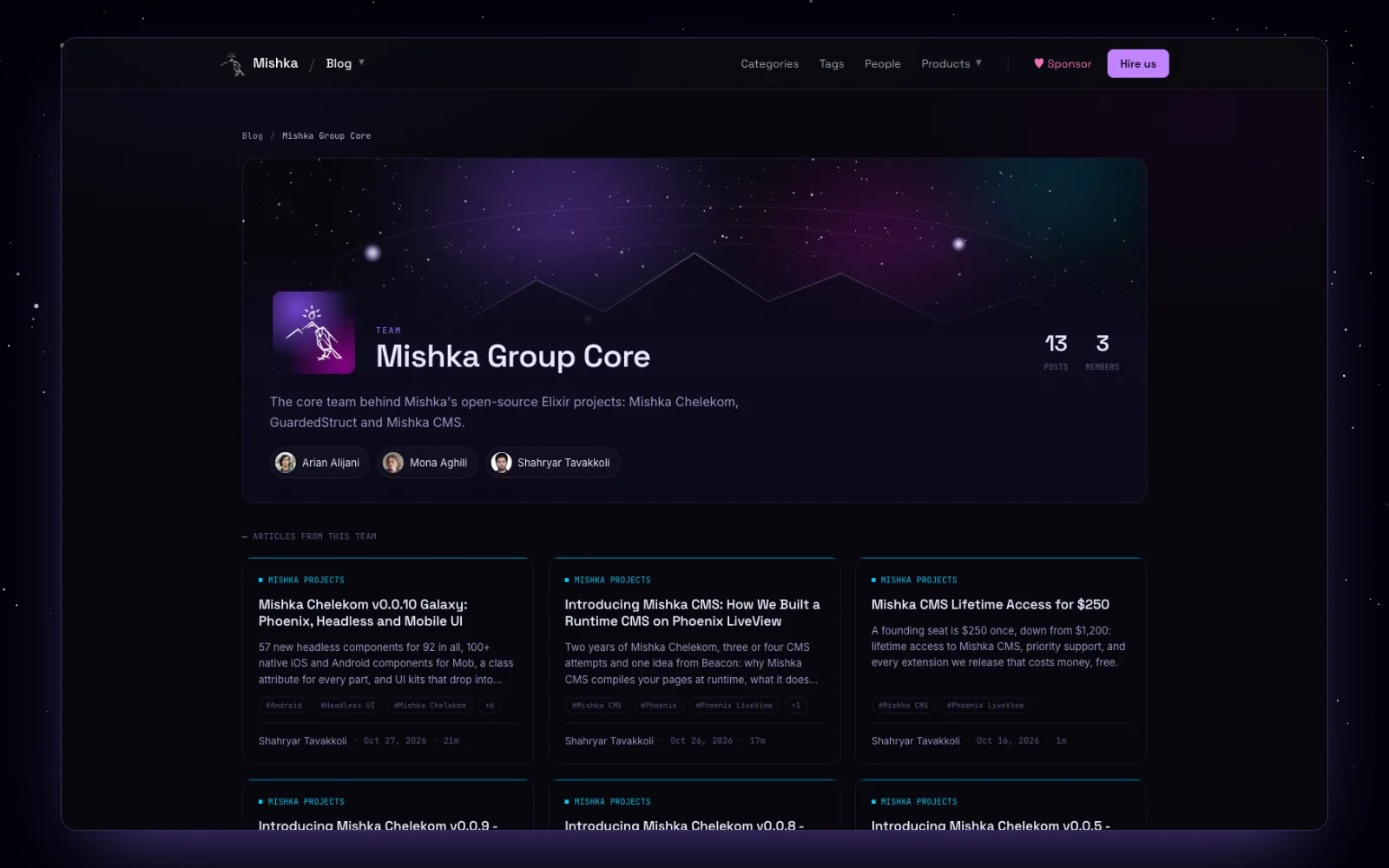
The Mishka Group Core team page, live.
Long articles like this one start as files: the text, the settings and the images. A small script publishes them through the blog's own Ash actions, so the post gets its components, CSS classes and reading time exactly as if we had typed it in. The script checks the post before it writes anything, for example that the FAQ on the page matches its FAQ data word for word, and running it twice changes nothing. After that the admin owns the post, like every other row.
Built to work with other extensions
Mishka Blog talks to Mishka CMS only through events, the same way any extension can. It answers the events the core fires (set up a site, read a page's record, build its head, add sitemap addresses, draw share cards) and fires its own for everything it does.
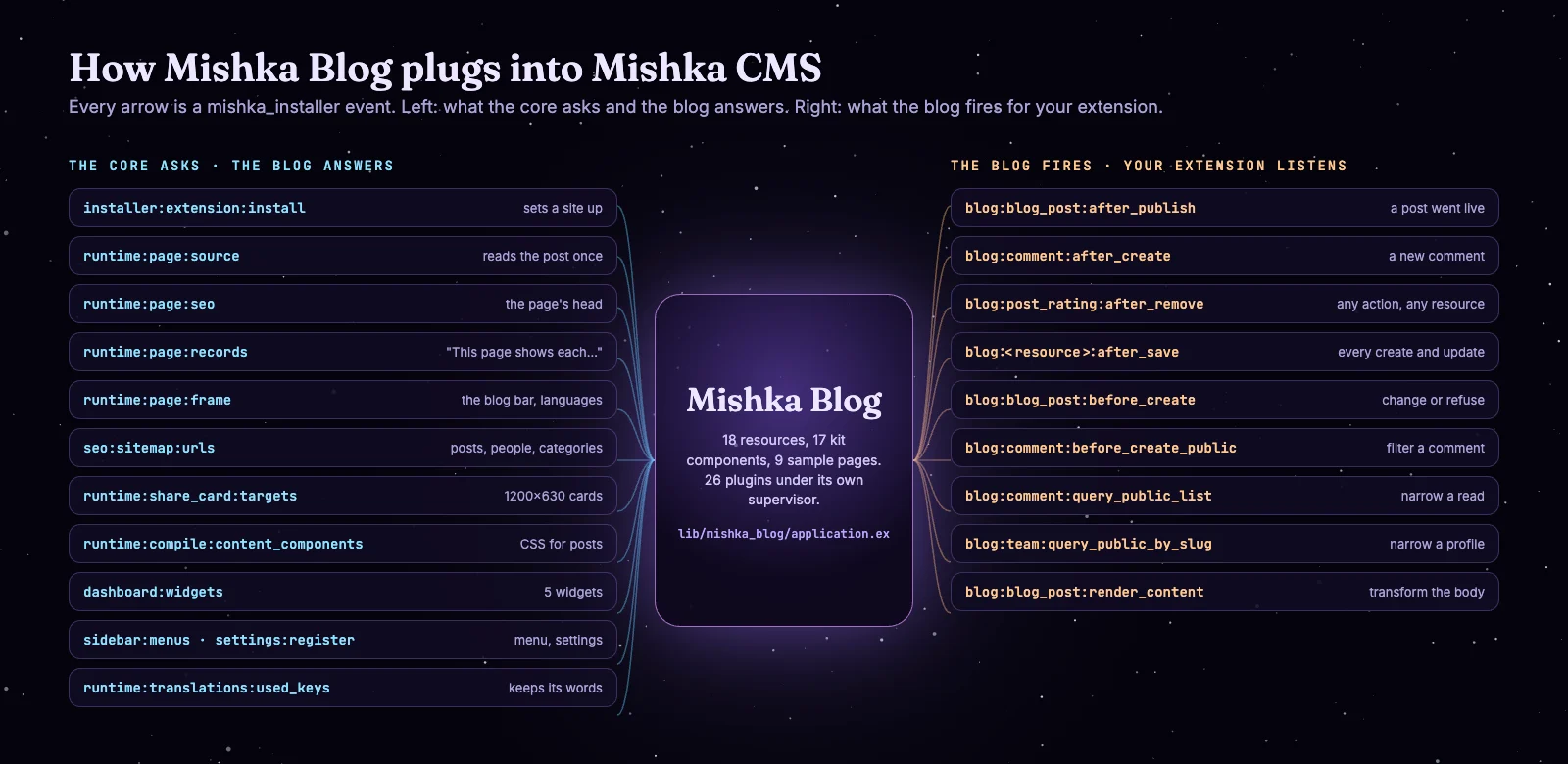
Left, the core events the blog answers. Right, a few of the events it fires.
Every action on every one of its 18 resources fires blog:<resource>:after_<action>. There are also hooks that run before a post or a public comment is created, hooks that narrow what a public list returns, and hooks that transform a post's body before it is shown. An extension that wants to announce new posts listens to one event:
defmodule MyExtension.AnnounceNewPosts do
  use MishkaInstaller.Event.Hook,
    event: "blog:blog_post:after_publish",
    initial: %{priority: 50}

  @impl true
  def call(post, meta) do
    # post is the published MishkaBlog.BlogPost, meta.actor is who published it
    MyExtension.Announcements.queue(post.site_id, post.title, post.slug)
    {:reply, post}
  end
end
Mishka Blog's own "new post published" notice for admins is a plugin of exactly this shape. The core's page events also share well. The blog answers only for its five record kinds and passes every other page on, which is how the documentation pages of this site come from another extension, Mishka Document, in the same install. A post can hold another extension's components through markers, and the whole blog is open through 246 JSON:API routes for admins and readers.
What is not finished
This is version 0.0.1, and some screens show features that do not work yet. Those screens carry an "on our roadmap" notice in the admin, and we list them here too.
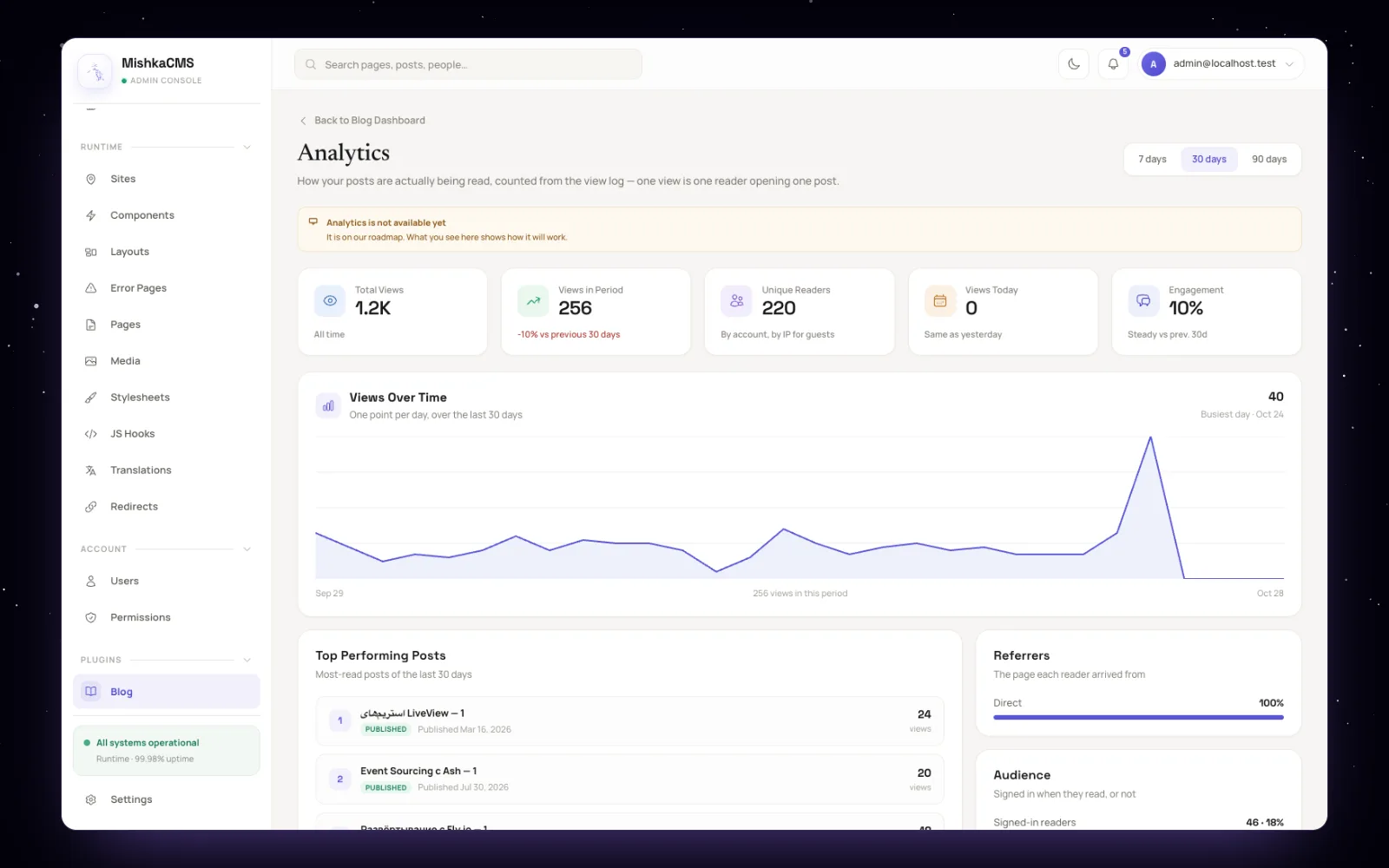
The Analytics screen tells you it is not live yet and shows how it will look.
You will find other bugs. When you do, please open an issue on GitHub.
Where we take it next
The next releases finish what the admin already shows, then bring AI into the blog. These are the steps we plan, without dates.
Publishing that waits for you
Scheduled posts that go live at their time, redirects created when a slug changes, and RSS, Atom and JSON feeds for each site.
Readers who come back
View counts and the Analytics screen, the buttons for ratings, bookmarks and follows, and notifications for followers and authors.
Posts that travel
Auto posting to the platforms you choose, from the configuration screen that is already there.
AI that works with your editors
An assistant that drafts, checks and translates, under your control.
AI in the blog
Today Mishka Blog has no AI, and Mishka CMS 0.0.1 ships no AI provider. What the core does have is a place for one. The visual editor has an Assistant panel that talks to a backend module, which you write and name in one config line. Its default backend answers that no AI is configured. Whatever an assistant changes goes through the same undoable editing session as a person's change, marked as made by AI, and a hook can rewrite or refuse a prompt before it is sent.
We want the blog to use that same path. An assistant could draft an excerpt and a meta description from the post, suggest tags from the ones you already use, write the first version of a translation as a new edition, or check that every image has alt text before you publish. You would review each change like any other edit, and you would choose the model, your own or a hosted one. None of this exists yet; it is where we want to take blog management.
Try Mishka Blog
Mishka Blog runs inside Mishka CMS. Start with the Mishka CMS page and its documentation, then read the Mishka Blog page and the blog's own docs. The code is on GitHub and the package on Hex.
Mishka CMS is free, and a small team builds it. If you want to help us work on it full time, a founding seat gives you lifetime access, priority support and every paid extension we release.
You can also sponsor our open source work, or hire our team for a Phoenix LiveView project.
Mishka CMS releases. Once a month.
New Mishka CMS releases, Elixir and Phoenix patterns, and case studies from the team. No spam, unsubscribe anytime.
Questions people ask about Mishka Blog
Thank you
Mishka Blog stands on Elixir, Phoenix LiveView and Ash Framework, with AshPaperTrail for its versions, AshArchival for soft deletes, Makeup for code highlighting, HtmlSanitizeEx for safe content and libvips for the share cards. Thank you to everyone who builds them, and to you for reading this far.
Shahryar Tavakkoli writes about Elixir and Phoenix LiveView: Mishka Chelekom releases, GuardedStruct validation, static sites, service workers and SEO.